
DuraVision DX0131-IP | EIZO






- Security & Surveillance
- Touch Panel
- Factories & Kiosks
- Maritime
- Features
- Specifications
- Documents Compatibility
- Accessories
- Awards & Reviews
Comprehensive Video Management
IP Camera Support
Streamlined Setup and Seamless Integration
Security and Reliability
Flexible Installation
Sustainable Future
Our Contribution to SDGs
Live Video Streaming for Security & Surveillance
PC-Less Live Streaming Directly from IP Cameras
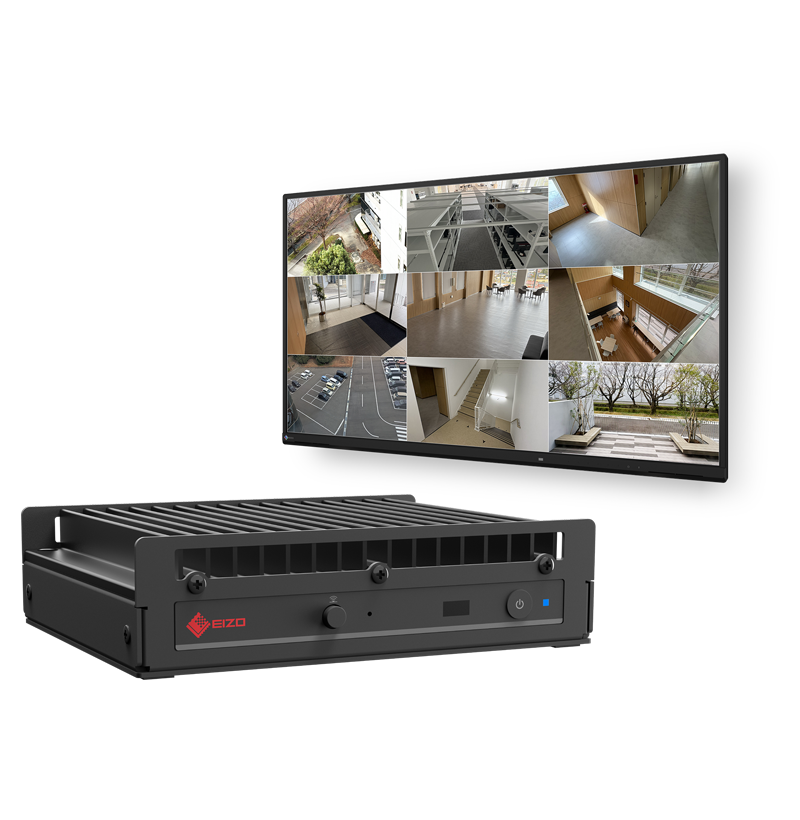
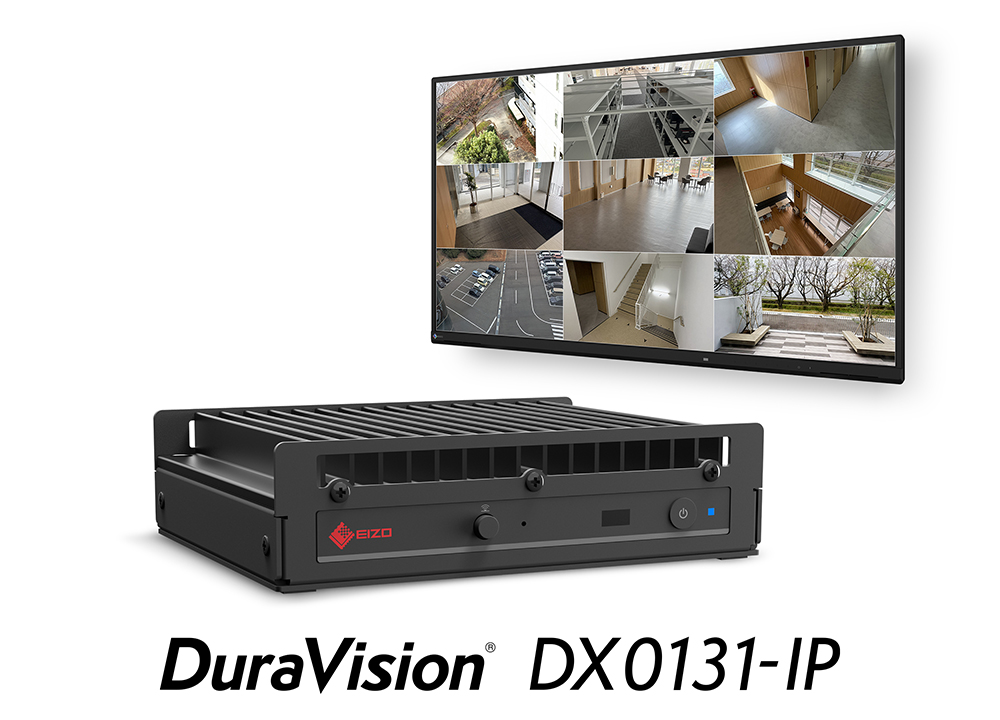
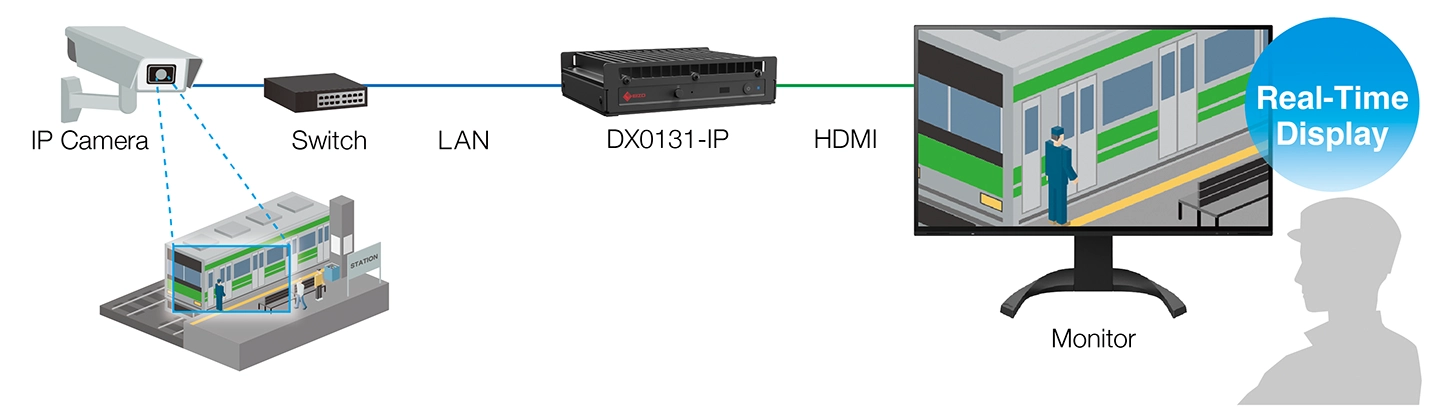
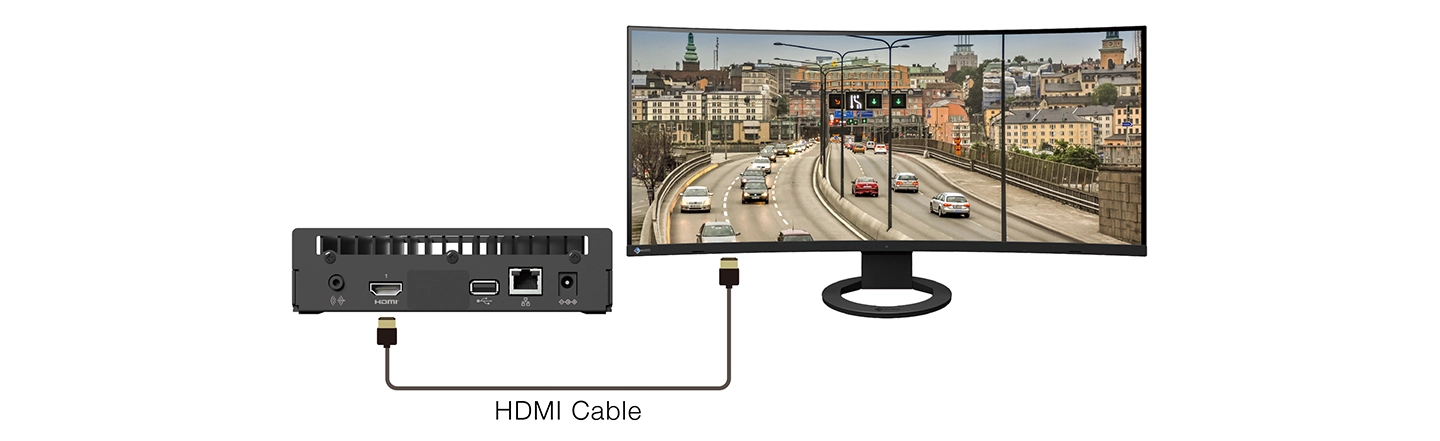
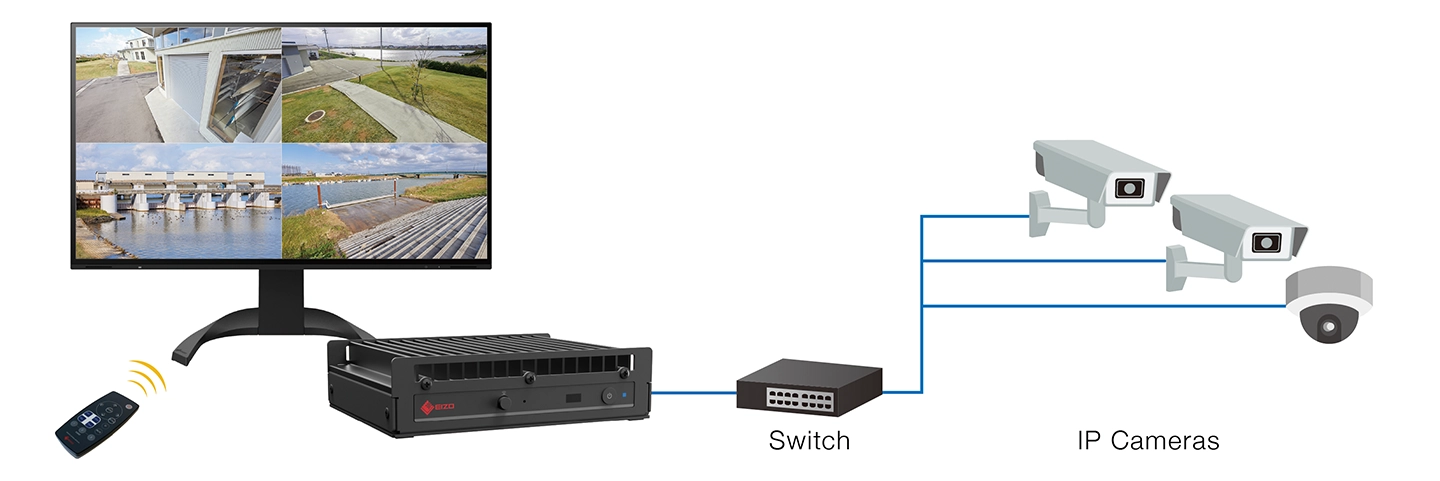
The DuraVision DX0131-IP connects directly to an IP camera via network switch to stream video to a monitor via HDMI® cable without the need for a PC. This streamlines installation, reduces setup time and labor costs, and minimizes potential points of failure. It can decode H.265 or H.264 video codecs for an optimal balance of image quality and transmission efficiency.
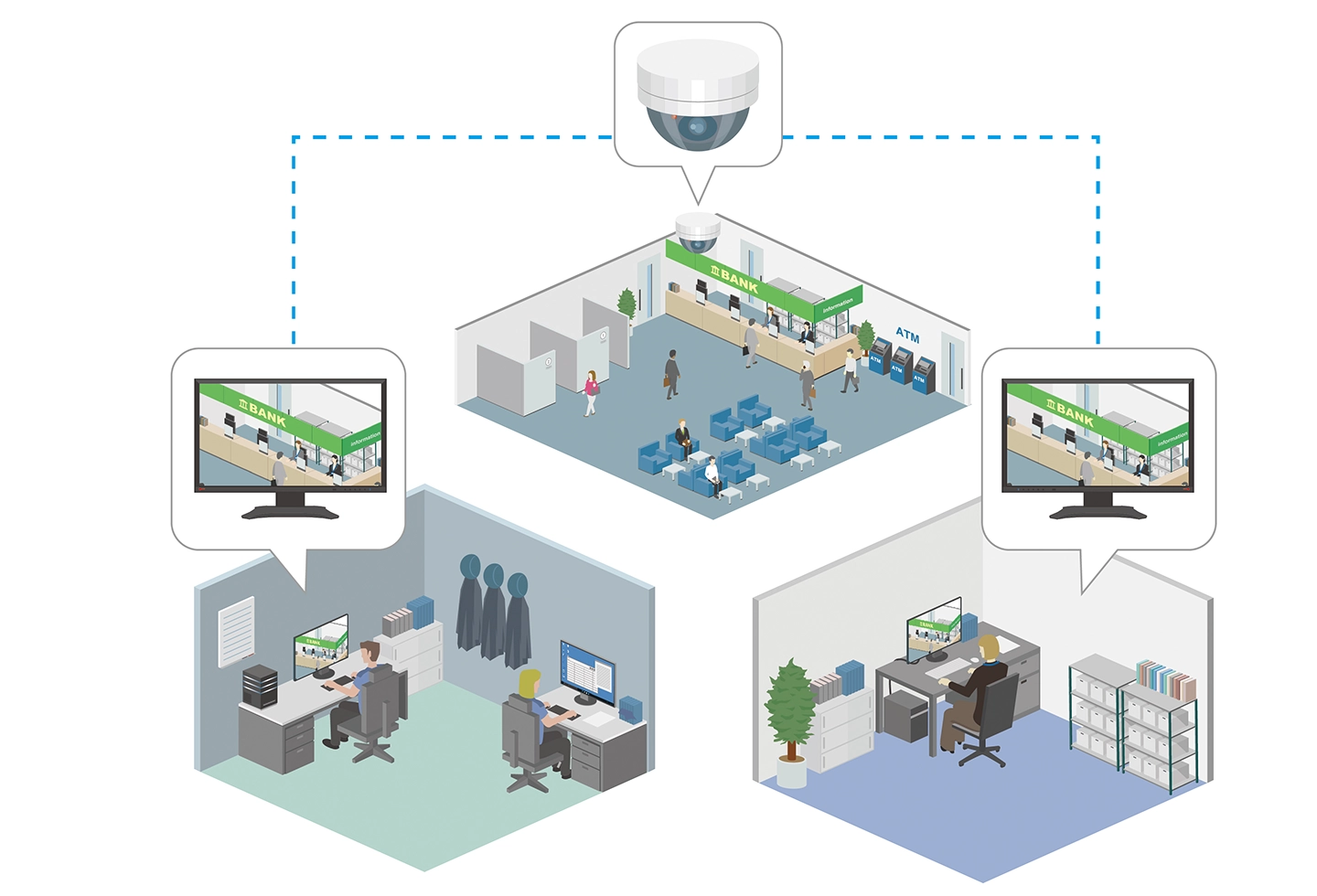
Deploy multiple IP boxes on the same network to view the same camera feed from different locations simultaneously. They stream video directly to each monitor, so no central recorder is required.
They also fit naturally into recording environments, such as NVR setups, by displaying the same camera feeds alongside existing systems. This gives you a flexible solution that adapts to various monitoring environments.
Two Models, One Core Platform
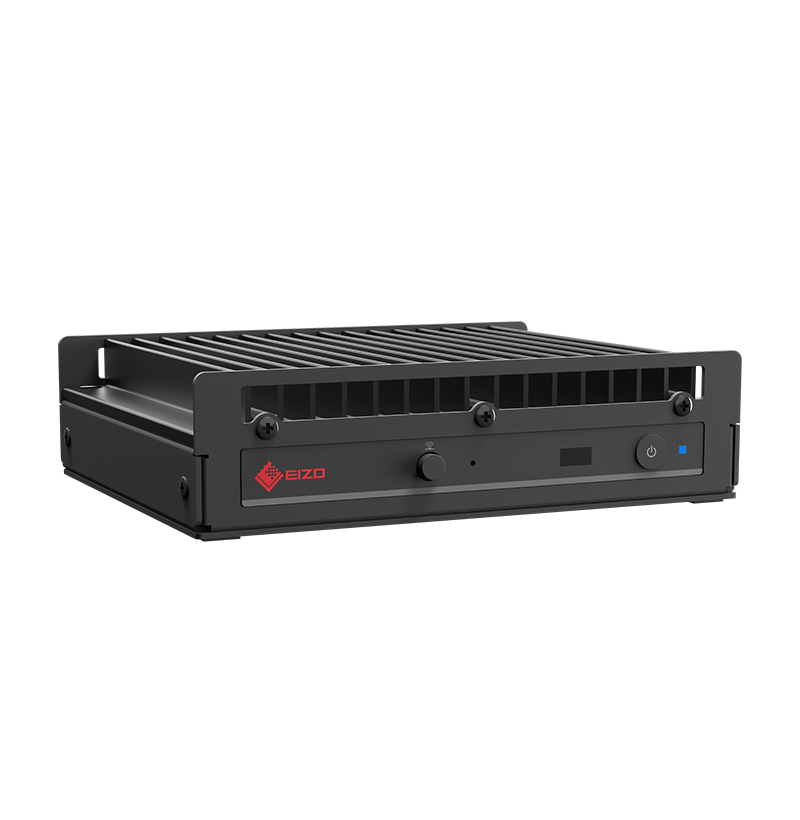
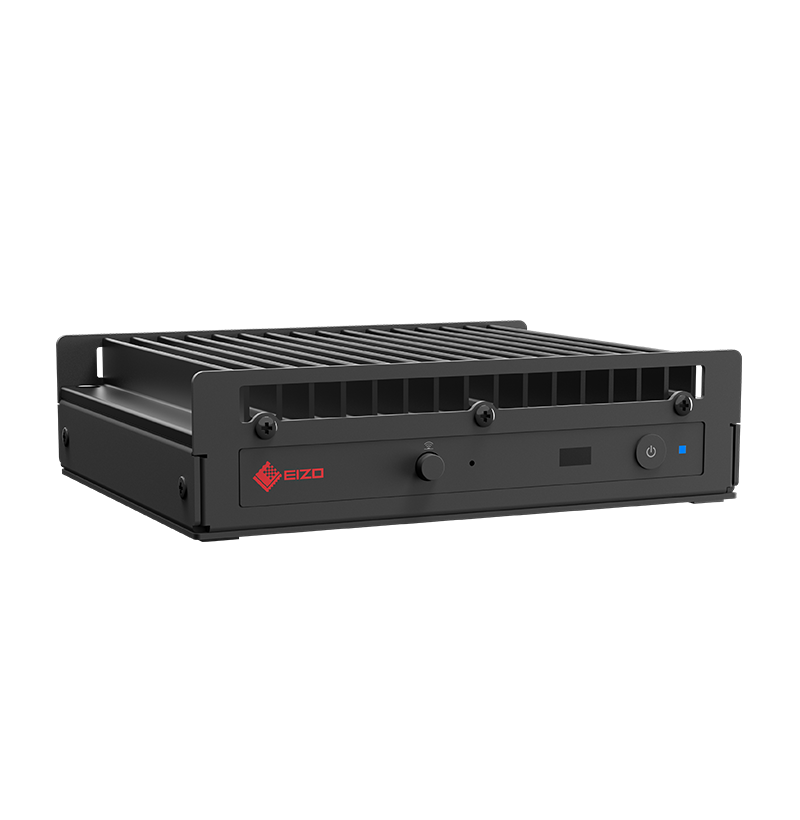
EIZO’s IP decoding solutions offer flexibility to match your needs. The DX0131-IP delivers essential features and core functionality in a streamlined design, while the DX0231-IP builds on these capabilities with advanced features, such as displaying a larger number of camera feeds and supporting multi-monitor output, so you can choose the solution that best fits your environment.
 |
 |
| DX0131-IP | DX0231-IP | |
|---|---|---|
| Simultaneous Display Channels | 16 (maximum) | 32 (maximum) |
| Registrable Cameras | 16 (maximum) | 48 (maximum) |
| HDMI Output | Single | Dual |

See the license guide for details on functions available with optional licenses.

See our Technical Portal for software updates, compatibility, and other useful information.
Register and Display Up to 16 Cameras Simultaneously
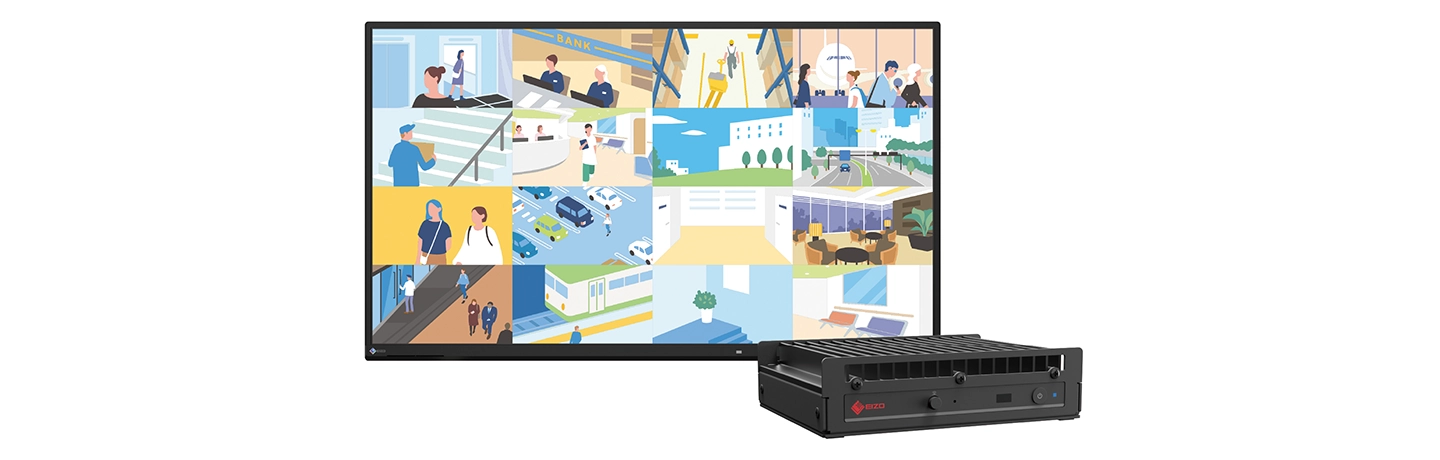
The DX0131-IP can register and display up to 16 cameras simultaneously, enabling operators to monitor multiple areas efficiently from a single screen. It can connect to any size monitor via HDMI output, making it highly adaptable for a diverse range of installation environments.
4K Output for Detailed Viewing
The IP decoding box supports 4K input signals from cameras (3840 x 2160 at 30 fps) and can output up to 4K resolution (3840 x 2160 at 30 Hz) to a connected monitor. It connects to a wide range of monitor sizes, including monitors with ultrawide resolutions, such as 3840 x 1600 and 3440 x 1440, making it ideal for panoramic video. Users can choose to display camera video with the original aspect ratio preserved or scale the entire image to fit the screen.
Power Delivery without AC Adapter
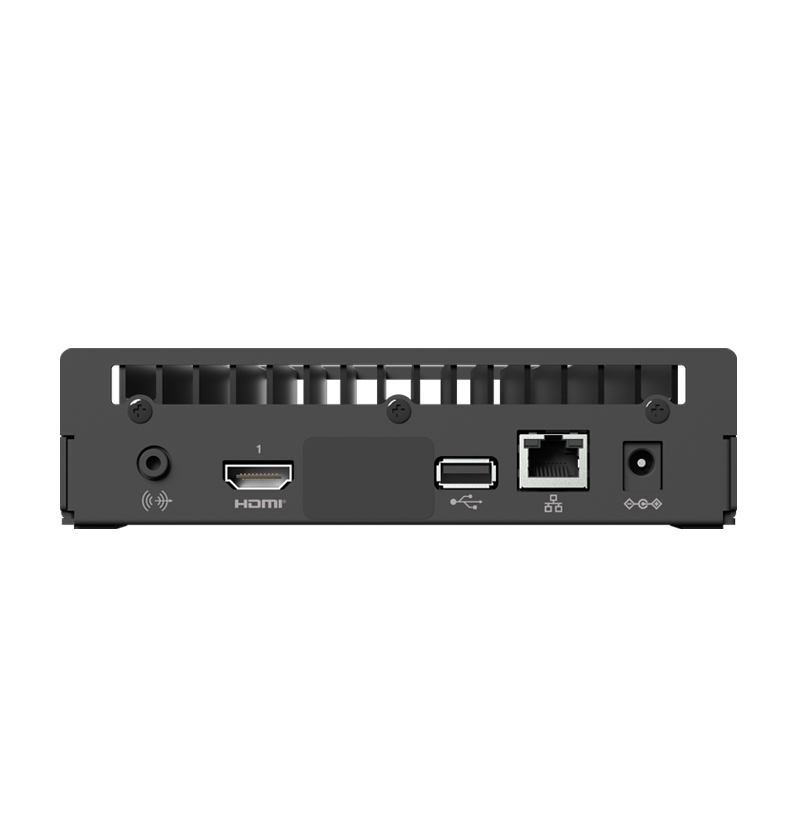
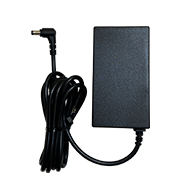
The DuraVision DX0131-IP is equipped with a PoE+ hub so it stays powered without needing an AC adapter and cable, keeping the installation area tidy. An optional DVAC-02 AC adapter is available for environments where PoE+ is not supported.
AC adapter and power cord are not included with DX0131-IP.

Comprehensive Video Management
Adjustable Screen Layout
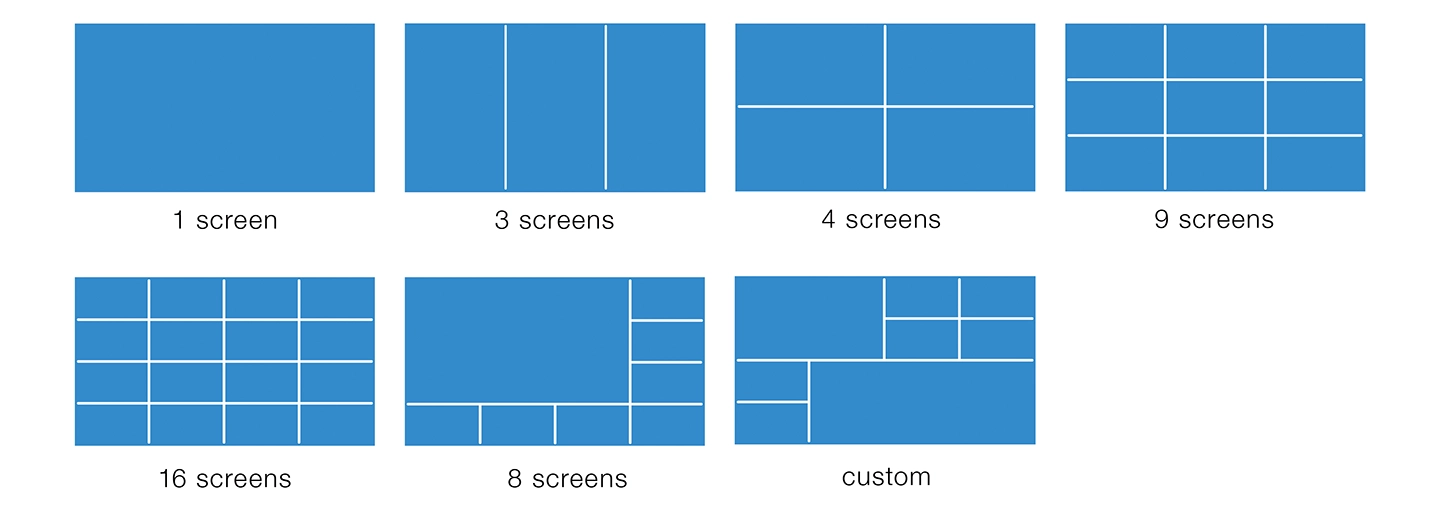
Select from various default video stream layouts (1, 3, 4, 9, 16, 8 (7+1) screens) or create your own with a custom layout.
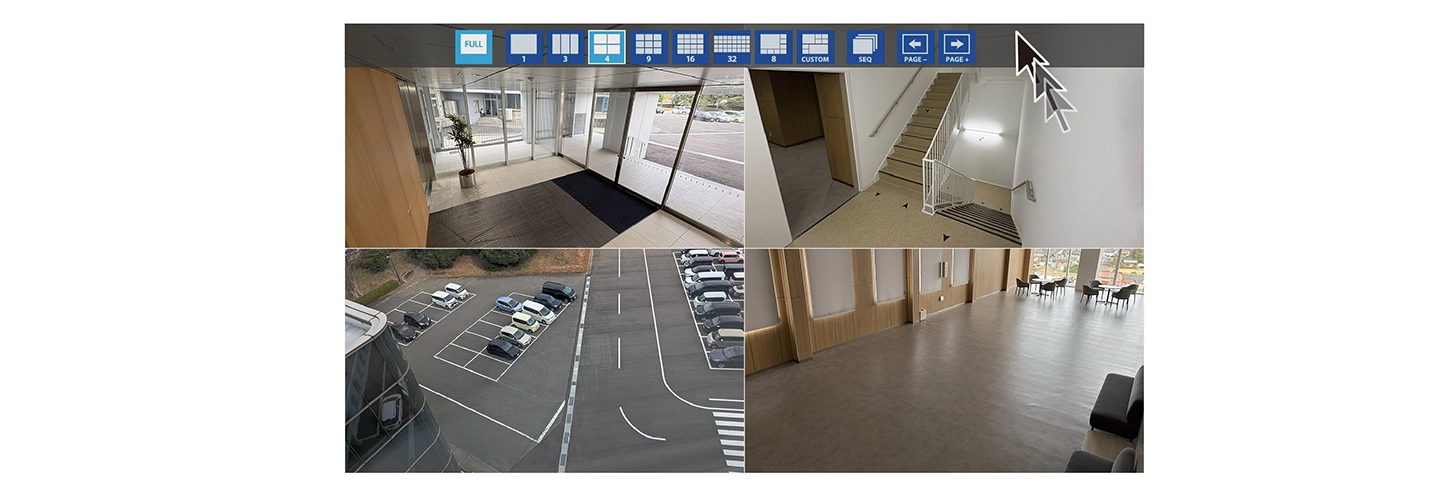
When in full-screen mode, moving the mouse pointer to the top edge of the screen displays the menu in an overlay.
Multi-Page Layout and Sequential Display
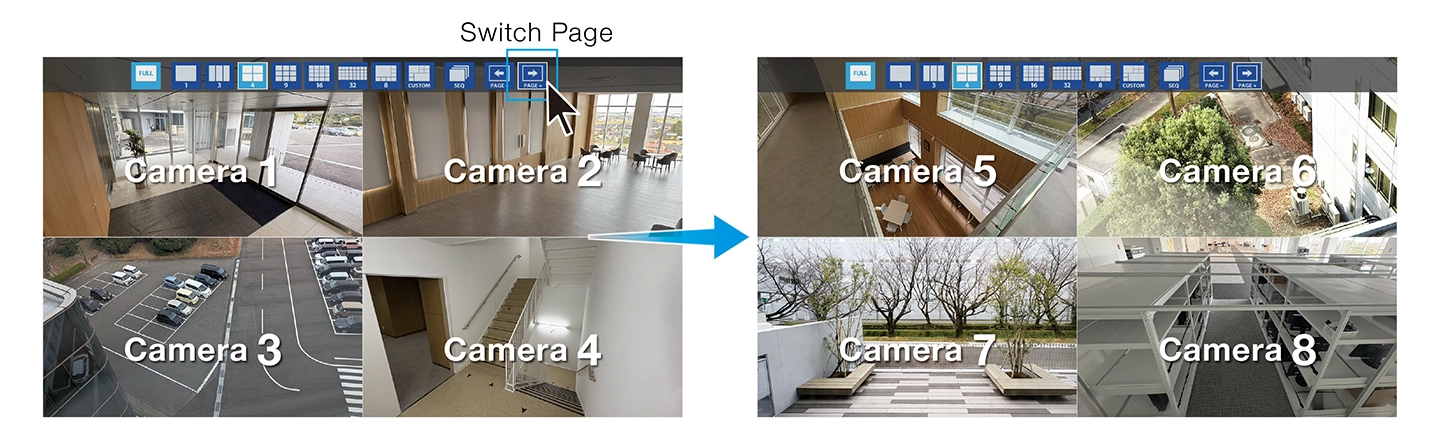
The IP decoding box supports the registration of up to 16 cameras. If the number of registered cameras exceeds the number displayed in your selected layout, the additional cameras will appear on subsequent pages. Using the sequential display feature, these pages can also be set to cycle automatically at fixed intervals for continuous monitoring.
Custom Layout
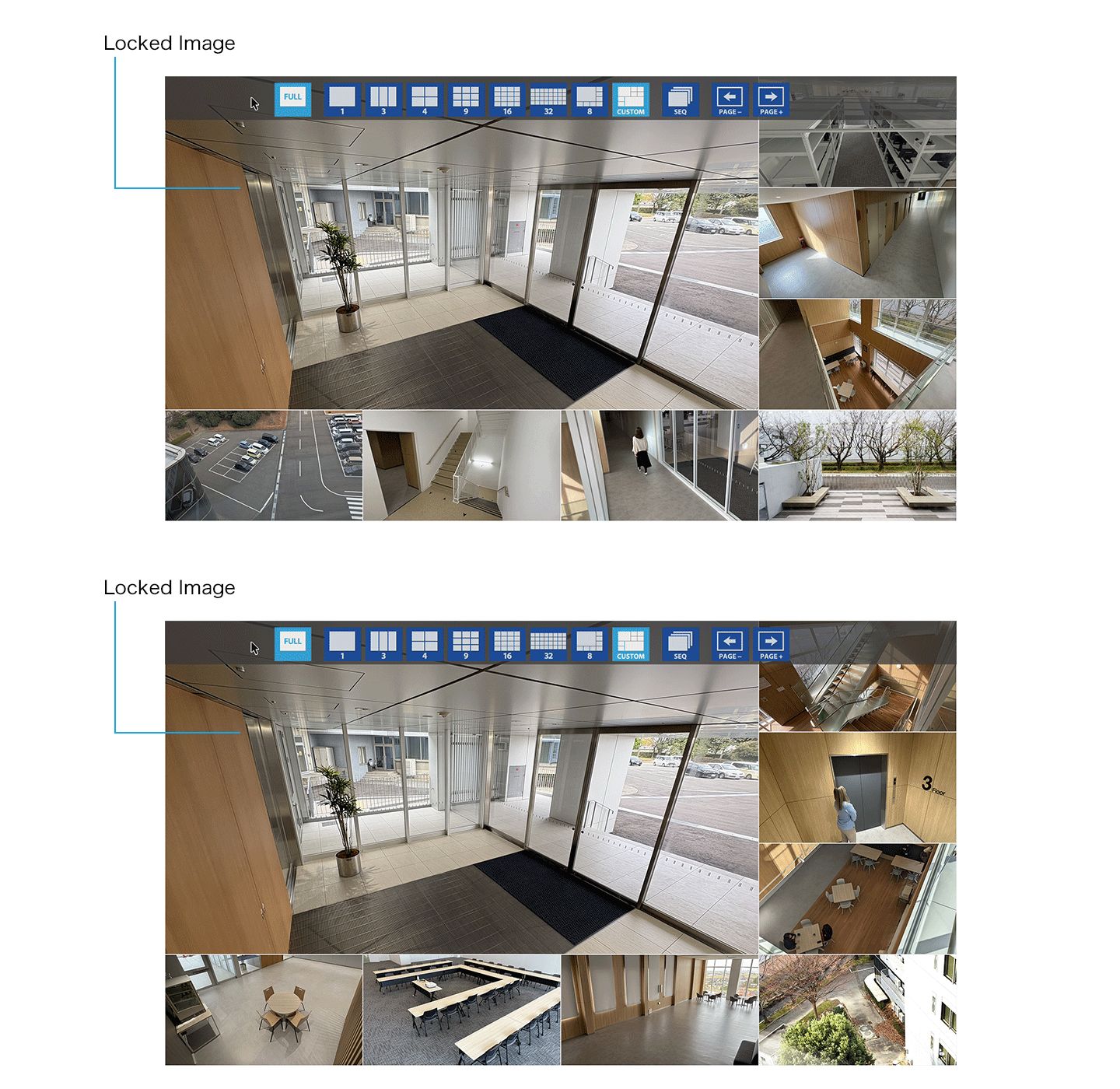
In the custom layout, you can freely configure the screen, allowing not only vertical and horizontal screen splits but also the ability to merge split frames.
In the custom layout, you can keep a specified camera feed visible at all times, even while switching between pages.
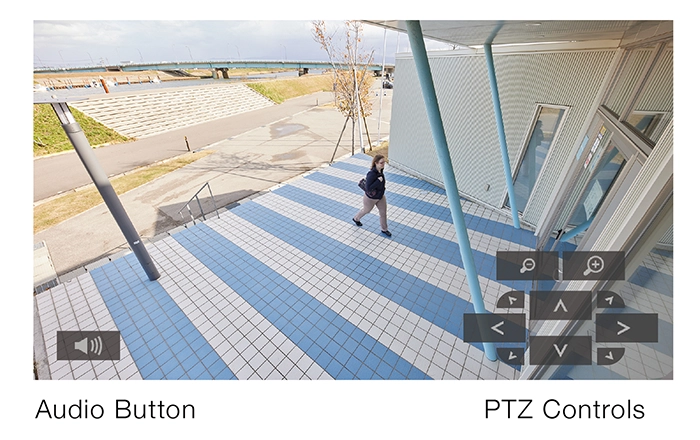 Camera PTZ Control
Operators can control each camera's PTZ (pan, tilt, and zoom) functions from the DX0131-IP using the on-screen buttons displayed over the video stream. Microphone audio from supported cameras can also be played back.
A monitor with built-in speakers or a connected speaker is required for audio playback.
Additional settings through the camera may be required.
Intuitive Operation with Remote Control
Using a remote control or joystick, you can intuitively control cameras, change layout, or switch pages.
The IP decoding box is equipped with a USB port, enabling you to connect and operate it with a USB mouse, keyboard or joystick. To safeguard against potential information leakage, the USB port is designed to prevent the use of storage devices, such as USB memory sticks.

Customizable On-Screen Camera Labels
Overlay camera names directly onto each video stream. The size, text color (white or black), text outline, semi-transparent background color, and display position can all be flexibly configured. Camera names are stored within the IP decoder's hardware, allowing you to change them freely as needed.

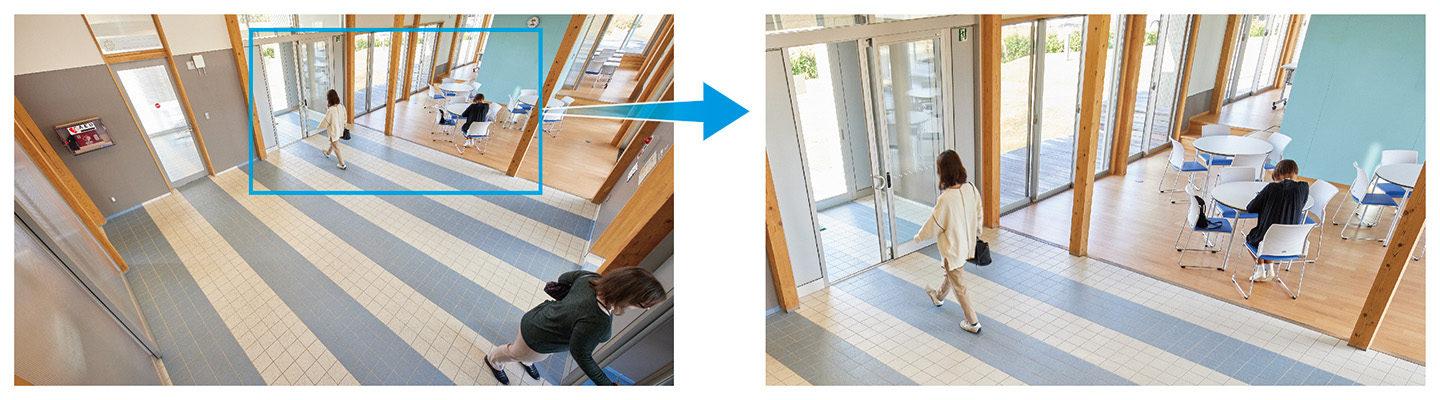
Virtual PTZ
The virtual PTZ function enables operators to digitally zoom in on a specific area of the displayed image for closer inspection. Once enlarged, the operator can pan the image up, down, left, or right in real time. This is useful for viewing video from cameras that lack physical PTZ capabilities.
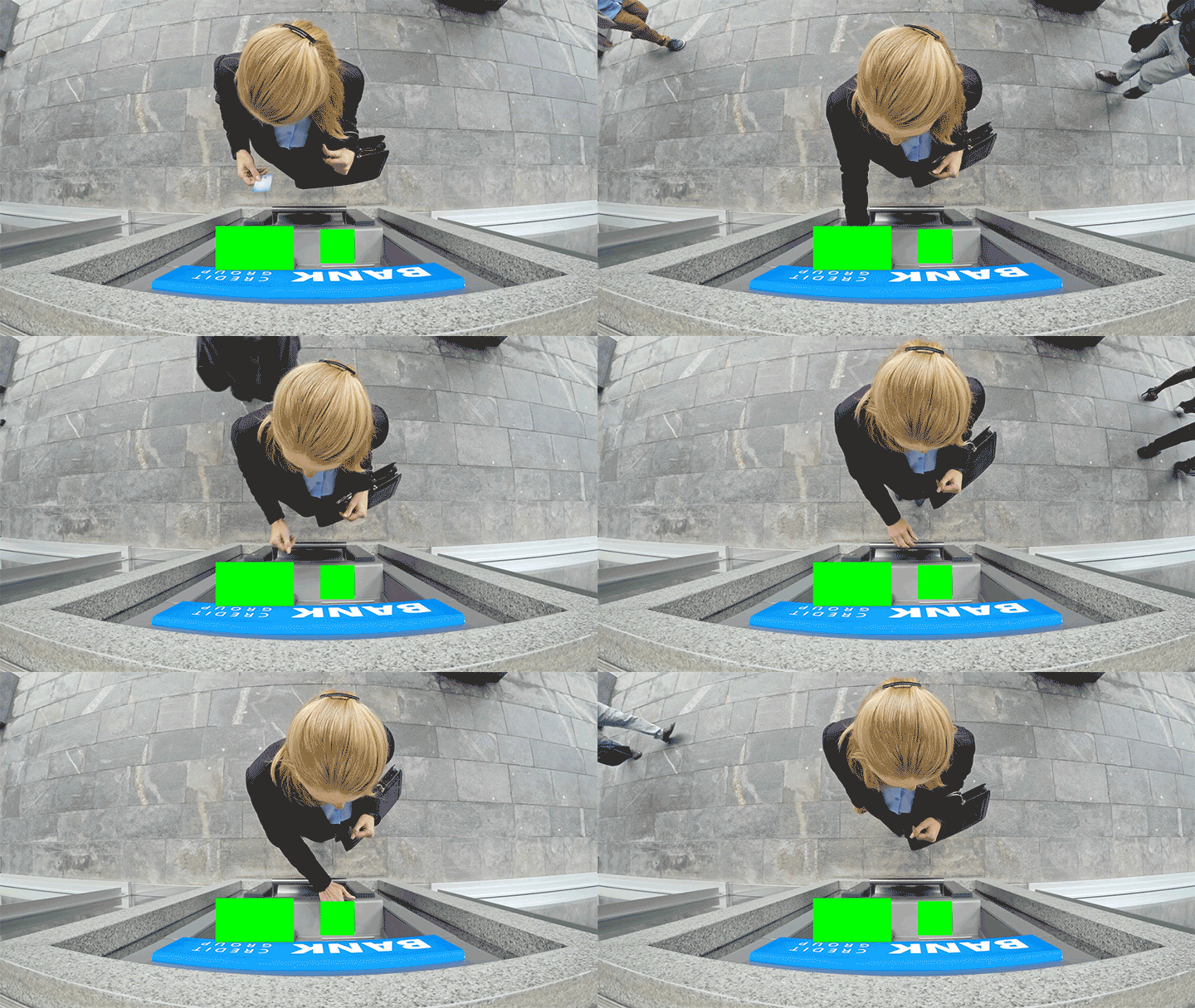
Privacy Mask and Virtual Line
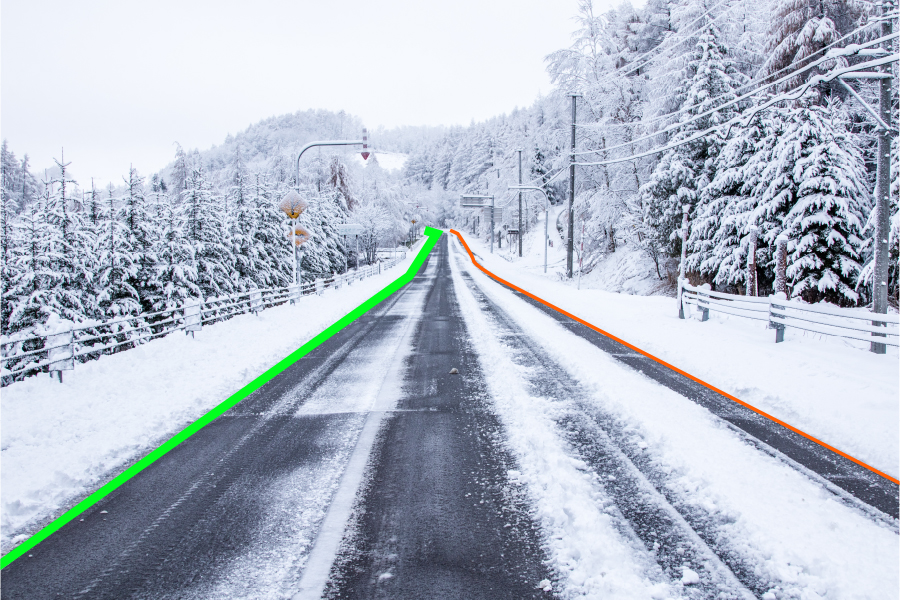
Users can assign static privacy masks to hide sensitive information on the live video stream without altering the source stream. Virtual lines and shapes can be applied to the screen to track barriers and designated zones.
Settings can also be carried out through the API.
 |
 |
|
Privacy Mask Example: Hide private information during ATM surveillance |
Virtual Line Example: Track road boundaries |
IP Camera Support
Interoperable with a Wide Range of ONVIF Cameras
|
DuraVision IP decoding solutions support ONVIF® Profile S, the industry standard protocol for security equipment, ensuring flexible installation and interoperability with a wide range of camera models. EIZO also conducts compatibility testing in cooperation with camera manufacturers and publishes verified results to provide reliable, up-to-date integration information. Camera Compatibility Information |
 |

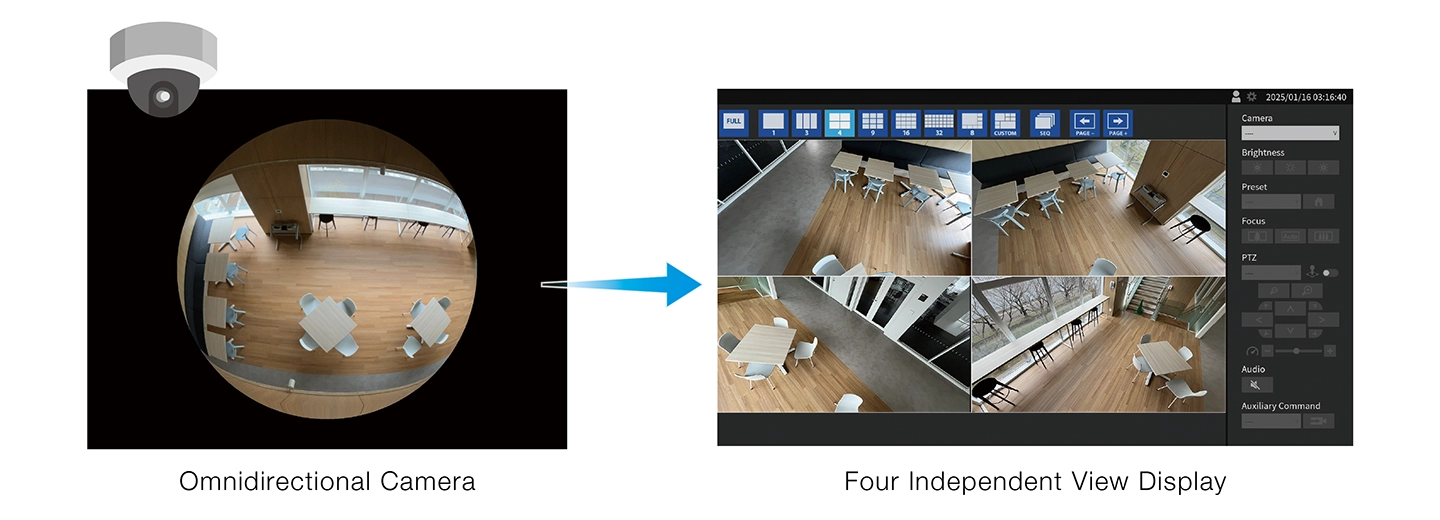
The DX0131-IP supports i-PRO and AXIS protocols, enabling access to manufacturer-specific features. For example, when streaming from an i-PRO omnidirectional camera in Quad Stream mode, you can display four independent views simultaneously for comprehensive coverage.
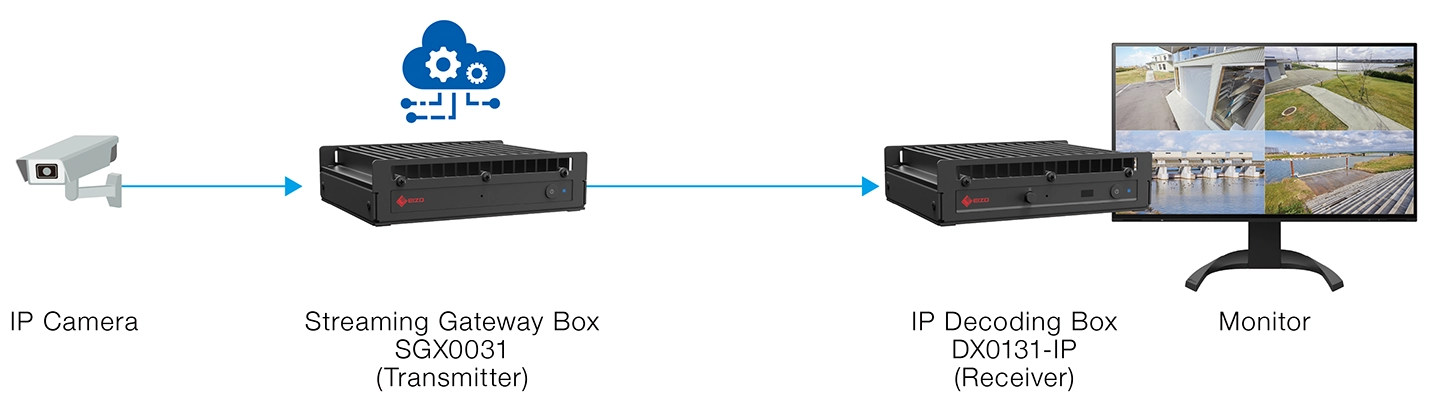
The IP decoding box also support RTSP, allowing you to display video from various sources by specifying the stream URI (rtsp://), including cameras and streaming servers. It can also display video from EIZO's Streaming Gateway box transcoder, the SGX0031, for low-latency IP video distribution.
Streamlined Setup and Seamless Integration
Share Settings Across IP Solutions
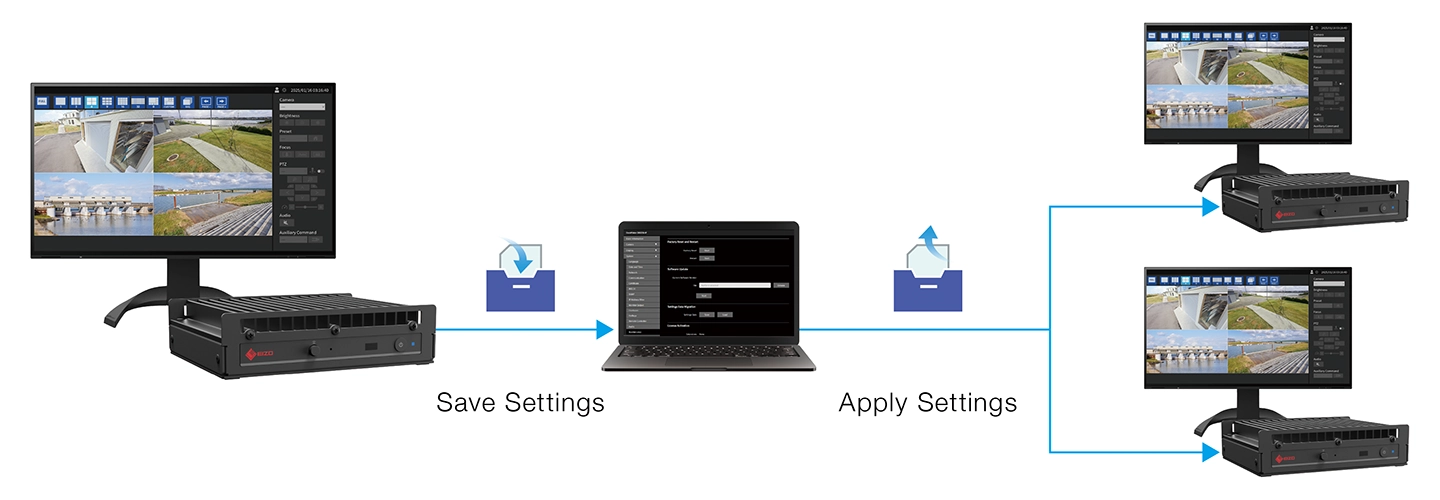
You can save the settings of a configured IP box or monitor and apply them to other IP boxes or monitors in your network.
View Live Stream Remotely
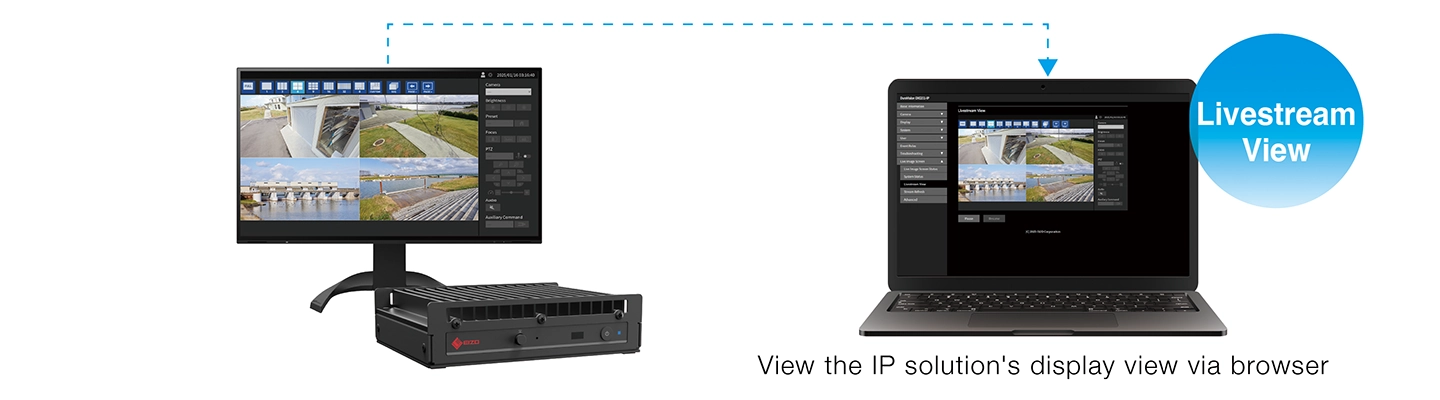
The live streaming feature allows you to remotely check an IP box or monitor's displayed view from your web browser (frame rate: 1 fps).
Custom Event Response with Alert-to-Action
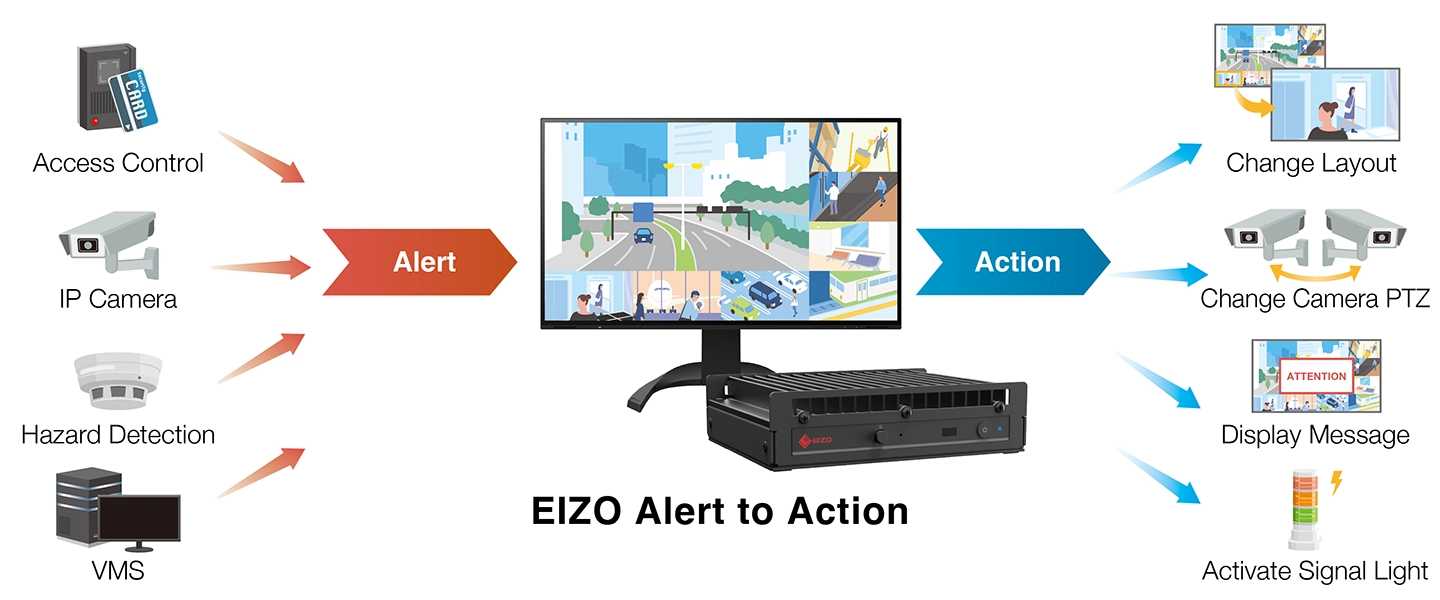
EIZO’s IP solutions include an event response function that uses the Web API to configure actions performed by the IP decoding box or monitor when specific events occur. For example, when a camera detects motion, it can send an alert that prompts the IP solution to automatically switch to a predefined screen layout or display a warning message. The IP solution can also issue HTTP commands to other network devices to trigger additional actions.
Web API Command List and Settings Overview
Alert-to-Action Use Cases
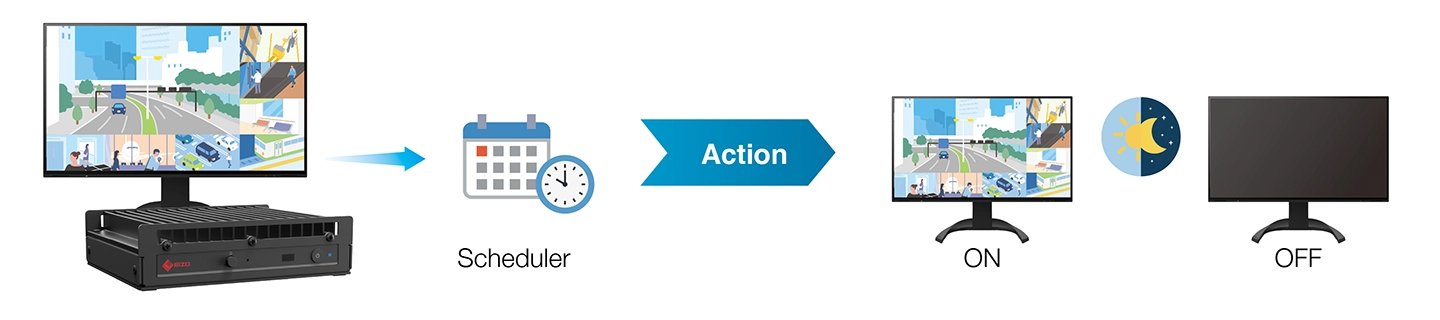
Additionally, a scheduler function allows you to set actions to be executed at specific days and times.

Learn more about system integration here
VMS Integration
EIZO collaborates with security & surveillance leaders to ensure technical compatibility and streamlined functionality with various video management systems/software (VMS). By fully integrating co-developed plugins into these VMS frameworks, users can easily set up, manage, and control EIZO's IP decoding solutions from a centralized platform.
Integration with Milestone XProtect® and HEXAGON Qognify require VMS License, available separately.

Learn more about VMS integration
Security and Reliability
Secure Communication
Secure communication is supported through server certificates, and IP address filtering allows connections only from approved devices. In addition, EIZO defines a clear cybersecurity lifecycle policy, specifying vulnerability response periods and delivering regular firmware updates along with timely security information.
DX0131-IP Cybersecurity Policy
Fanless Solution with Low Heat Output
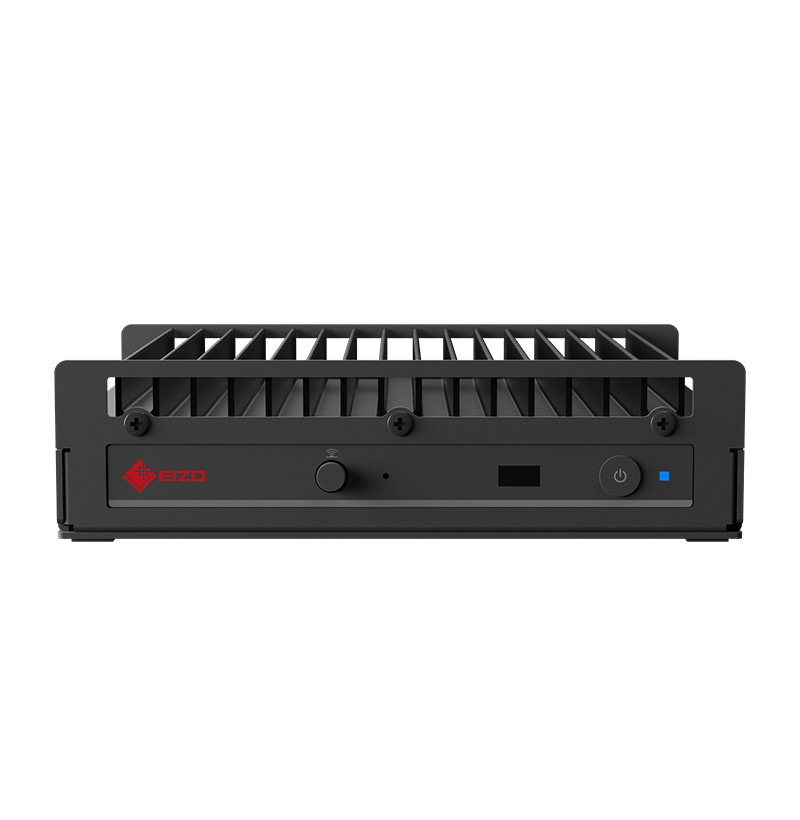
The DuraVision DX0131-IP provides noiseless, fanless operation while maintaining low heat output for long-term reliability. The top of the box is designed so that heat escapes efficiently, keeping it cool even during long periods of operation.
 24-Hour Use, 2-Year Warranty
The product is built for 24-hour use and is backed by a two-year manufacturer’s warranty for long-term reliability.
Flexible Installation
Minimal Footprint in Mounted Installations
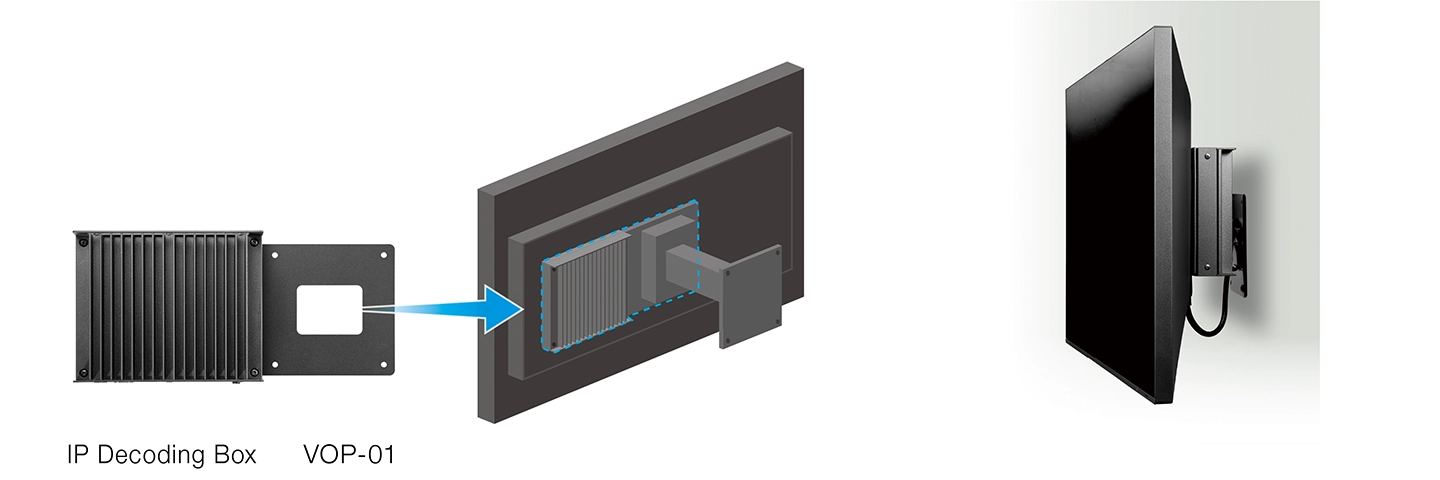
The IP decoding box can be easily mounted to any VESA-supported monitor using the VOP-01 mounting plate. Its slim, compact design fits perfectly behind wall- or ceiling-mounted monitors, minimizing space usage and reducing cable clutter.
Some monitors require the VESAMP100 mounting plate in order to attach the VOP-01.
Clean Workspace for Desktop Solutions
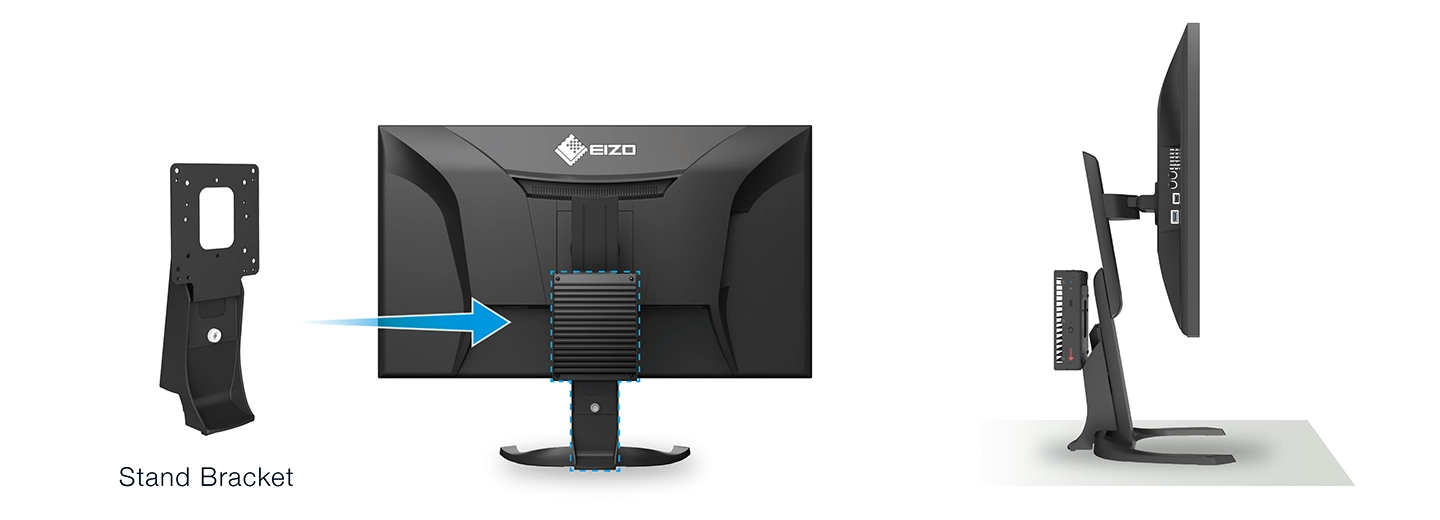
The IP decoding box can be directly attached to many EIZO desktop monitors using EIZO's monitor stand bracket. This setup creates a cleaner workspace for desktop solutions. The attachment maintains the monitor's balance, ensuring it stays securely in place on your desk.
Sustainable Future
Eco-Conscious Packaging
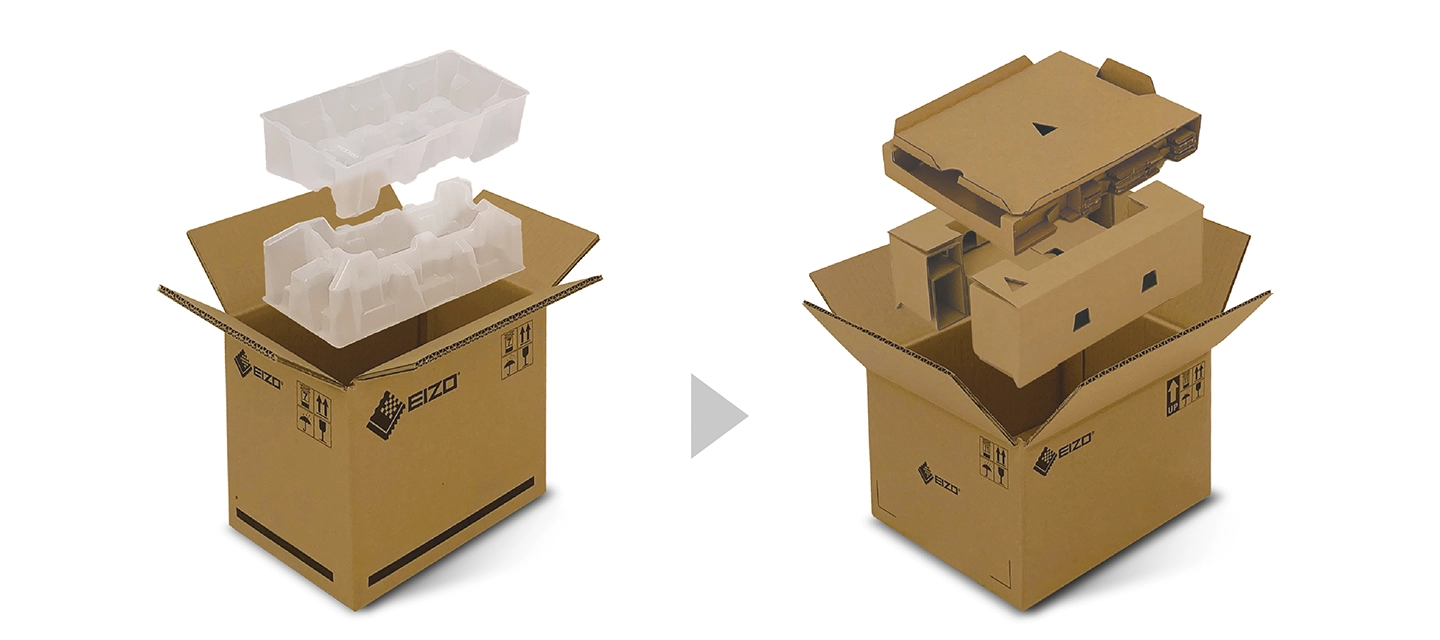
EIZO is committed to reducing its environmental impact by transitioning away from plastic and other environmentally unfriendly materials in product packaging.
 |
|
| Conventional Packaging Material | New Packaging Material |
Our Contribution to SDGs
| As part of its sustainability initiatives, EIZO is contributing towards the United Nations' Sustainable Development Goals (SDGs). |
 |
|
Environmentally Conscious Product Development EIZO’s industrial products are designed to minimize environmental impact by promoting efficient and circular resource use across every stage of the product lifecycle - from parts and materials procurement to manufacturing, transportation, user experience, and end-of-life disposal. We prioritize green procurement, selecting environmentally responsible components and materials wherever possible. In addition to meeting domestic and international environmental standards, we support chemical substance surveys and assessments of environmental initiatives related to our procurement partners. All production sites at EIZO’s headquarters in Japan operate on 100% renewable energy. |
   |
|
|
Imaging Solutions for Industrial Operations EIZO's industrial imaging solutions provide unwavering support to professionals working to advance and protect our society, across vital environments such as hospitals, offices, airports, factories, and public transportation hubs. With robust and redundant product design, backed by comprehensive warranties and after-sales service, we help ensure uninterrupted industrial operations. |
  |
| Decoding Processor | |
|---|---|
| Simultaneous Display Channels | 16 (maximum) |
| Registrable Cameras | 16 (maximum) |
| Camera Protocol | ONVIF Profile S, AXIS VAPIX, Panasonic / i-PRO, RTSP |
| Video Codec | H.265, H.264, MJPEG13 |
| Audio Codec | OPUS, G711, G726, AAC |
| Streaming Protocol | RTP (H.265, H.264, MJPEG, MPEG2-TS), UDP (MPEG2-TS) |
| Decoding Performance (camera resolution / framerate) *Bitrate 4096 kbps |
1-screen layout: 3840 x 2160 / 30 fps, 1920 x 1080 / 60 fps
4-screen layout: 3840 x 2160 / 15 fps, 1920 x 1080 / 60 fps 16-screen layout: 1920 x 1080 / 15 fps |
| Bitrate | 8192 kbps (maximum) |
| Video Signals | |
| Output Terminals | HDMI x 1 |
| Output Resolution | 3840 x 2160 (maximum) / 30 Hz |
| Network | |
| Wired LAN | RJ-45 (1000BASE-T, 100BASE-TX) |
| USB | |
| Host | USB 2.0: Type-A |
| Audio | |
| Output Terminals | Line out (Stereo mini jack), HDMI x 1 |
| Power | |
| Input Voltage |
PoE+12 (IEEE802.3at Type2): 42.5 V - 57 V (48 V typ.)
AC Adapter (option): DC12 V |
| Maximum Power Consumption |
PoE+: 25.5 W
AC Adapter (option): 24 W |
| Features & Functions | |
| Communication Protocol | DHCP, DNS, HTTP, HTTPS, NTP, RTP, RTSP, SNMP, IEEE802.1X |
| Others | System software version 7.x |
| Physical Specifications | |
| Dimensions (W x H x D) | 165 x 44.2 x 130 mm |
| Net Weight | 720 g |
| Environmental Requirements | |
| Operating Temperature | 0 - 40°C |
| Operating Humidity (R.H., non condensing) | 20 - 80% |
| Certifications & Standards (Please contact EIZO for the latest information.) | CB, CE, UKCA, cTUVus, FCC-A, CAN ICES (A), VCCI-A, RCM, RoHS, WEEE, China RoHS, BIS, India RoHS |
| Supplied Accessories (May vary by country. Please contact EIZO for details.) | |
| Signal Cables | HDMI (0.5 m) |
| Others | Setup manual |
| Warranty | 2 Years (24-hour use) |
| Dimension Drawing |
- 13 MJPEG is only available with the ONVIF Profile S protocol.
Manuals
| DX0131-IP / FDF2331W-IP User's manual | English | 6.23 MB |

|
| DX0131-IP / FDF2331W-IP User's manual | German | 6.19 MB |
|
| DX0131-IP Setup manual | English | 1.91 MB |
|
| DX0131-IP Setup manual | German | 1.95 MB |
|
| DX0131-IP Setup manual | French | 1.92 MB |
|
| DX0131-IP Setup manual | Chinese-Simplified | 2.25 MB |
|
Compatibility
| Date | Subject |
|---|---|
| March 26, 2026 | IP Camera and DuraVision IP Decoder (IP Decoding Box, IP Monitor) Compatibility |
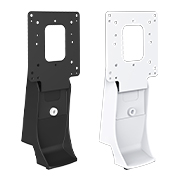
Dedicated stand bracket for attaching a client terminal to the back of certain FlexScan monitors
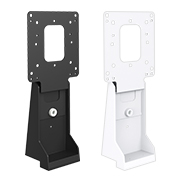
Dedicated stand bracket for attaching a client terminal to the back of certain FlexScan monitors
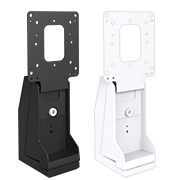
Dedicated stand bracket for attaching a client terminal to the back of certain FlexScan monitors
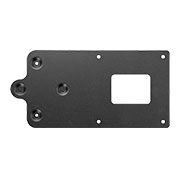
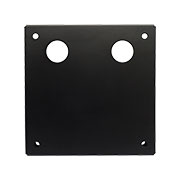
VESA mounting plate for attaching an IP decoding box to certain FlexScan monitors using VOP-01


Contact EIZO
EIZO Inc.
Address:
5710 Warland Drive, Cypress, California 90630
Telephone:
(+1) 562 431 5011


