• SX2762W
    • Compare
  • FlexScan SX2762W
  • FlexScan SX2762W
  • FlexScan SX2762W
  • FlexScan SX2762W
  • FlexScan SX2762W
  • expand
  • Thumbnail1
  • Thumbnail2
  • Thumbnail3
  • Thumbnail4
FlexScan SX2762W
27" (68 cm) LCD Monitor
Expert color made exceptionally easy.
Featuring an impressive 27-inch screen, wide color gamut, and hardware calibration capability with the optional EIZO EasyPIX color matching tool, the FlexScan SX2762W makes it easy for professionals in graphic design, digital photography, CAD/CAM, and DTP to get predictable color results.
  • contact_large.gif
  •  
2 items
 
  • Features
  • Specifications
  • Documents
  • Accessories
  • Awards & Reviews

Wide Area, High Resolution Screen

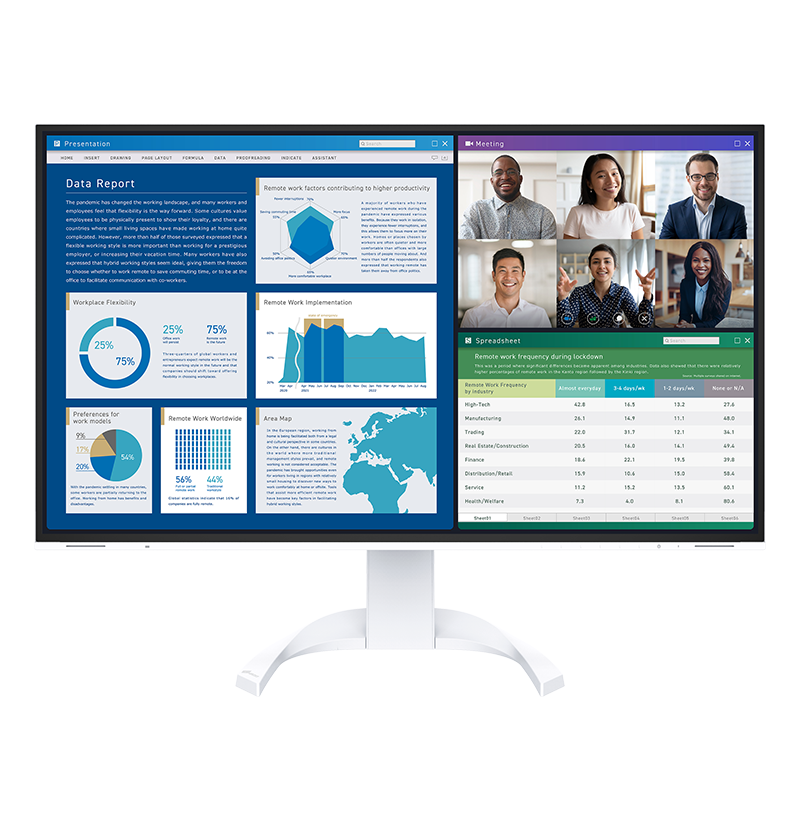
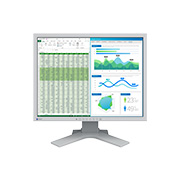
The FlexScan SX2762W features a 2560 × 1440 native resolution across its 27-inch screen. This is more than double the pixels of a 19-inch monitor with a 1280 × 1024 resolution and 60% more than a monitor with a 1920 × 1200 resolution. This gives you plenty of room to spread out your windows and palettes.

FlexStand 2

Wide Color Gamut

Color reproduction areaThe monitor reproduces 97% of the Adobe RGB color space so it can display most colors in a digital photo taken in Adobe RGB mode. Furthermore, it also has an sRGB mode to accurately reproduce colors in this narrower but commonly used color space, such as those seen on web pages or digital photos taken in sRGB mode.

Three Inputs Including DisplayPort

DVI-D, DisplayPort, and Mini DisplayPort are included. DisplayPort and Mini DisplayPort accept both video and audio signals simultaneously. Mini DisplayPort offers the further benefit of connection with Mac and Windows-based notebook computers.

FlexStand 2

10-Bit Simultaneous Display

The monitor can display 10-bit color from a 16-bit look-up table via its DisplayPort, Mini DisplayPort, and DVI-D inputs*. This is more than 1 billion colors shown simultaneously which is 64 times greater than the 16.7 million colors of 8-bit display. The result is even smoother color gradations and reduced Delta-E between two adjacent colors.

  • A graphics board and software which support 10-bit output are also necessary for 10-bit display.

Simulation

Hardware Calibration with EIZO EasyPIX

EIZO EasyPIX imageEIZO EasyPIX lets you calibrate the monitor itself (hardware calibration rather than the computer's graphics board (software calibration). This ensures more accurate and predictable color. EasyPIX is sold separately and consists of software and the EIZO EX1 color sensor.

Detailed Color Control

The OSD menu and bundled ScreenManager Pro for LCD software offers adjustment of brightness, gamma, saturation, hue, gain and color temperature from 4,000 K to 10,000 K in 100 K increments. For fine-tuning of even a single color, the hue and saturation settings for red, green, blue, cyan, magenta, and yellow can be adjusted independently.

Preset Modes

Different types of creative work require different color settings. To ensure you get the right ones, this monitor comes with three customizable preset modes for assigning your own values for brightness, contrast, color temperature, and gamma. In addition, Paper, Text, Picture, Movie, and sRGB modes are also included. You can switch modes automatically with the bundled ScreenManager Pro for LCD software or manually with the press of a button.

Brightness and Color Temperature Stability

To ensure proper display of color, the FlexScan SX2762W comes equipped with patented EIZO technology that stabilizes the monitor's brightness level after startup or coming out of power saving mode. Furthermore, a temperature sensor detects and automatically suppresses changes in color and brightness caused by fluctuations in the surrounding temperature.

Color Drift Compensation

Brightness and Color Uniformity with DUE

DUE imageFluctuations in brightness and chroma on different parts of the screen are characteristic of LCD panels. Generally, the larger the screen, the more noticeable these uniformity errors become. EIZO's Digital Uniformity Equalizer (DUE) helps to compensate for these errors, resulting in a much more uniform image.

Fast Response Time

An overdrive circuit is included to reduce gray-to-gray response time to 6 ms and ensure that movies and other moving images look clean and sharp with an absolute minimum of blurring and ghosting.

overdrive circuit

New Cabinet and Stand Design

FlexStand 2The FlexScan SX2762W features a new cabinet and is the first monitor with the new FlexStand 2. The cabinet design maintains the distinct look of EIZO monitors while introducing a more smoothly rounded appearance. The FlexStand 2 complements the new cabinet design while offering very versatile positioning with 152 mm height adjustment, 25° tilt, 344° swivel, and 90° rotation for portrait mode viewing.

Presence Sensor for Power Savings

EcoView SenseEIZO's EcoView Sense feature unites convenience with energy savings by ensuring that the monitor automatically conserves power when it is not in use. EcoView Sense is an integrated presence sensor that prompts the monitor to switch to power save mode when it does not detect your presence for 70 seconds, and then resume normal operation when you return. To prevent the screen from reactivating when it shouldn't, EcoView Sense differentiates between your presence and a still object like an empty chair or general office activity in the background.

Optimized Brightness with Auto EcoView

EcoView SenseA sensor on the front of the monitor measures ambient light and optimizes the screen's brightness to ensure the screen is never too bright or too dark. If preferred, Auto EcoView can be deactivated in the OSD menu.

Energy and Environmental Efficiency Index

EcoView IndexA user-activated EcoView Index displays the level of power savings and equivalent amount of CO2 reduction compared to using the monitor without Auto EcoView activated and with the screen set at a brightness of 100%.

On-Screen Button Guide

On-Screen Button GuideGraphics professionals often work in a dimly lit environment which can make it difficult to read a monitor's adjustment buttons. The SX2762W, however, includes an on-screen button guide that labels what each of the buttons are for so you can easily navigate the OSD menu.

Colorblindness Simulation Software

To avoid creating inconveniences and even dangers for those with color vision deficiency, care must be taken when choosing color schemes for everyday items such as maps, road signs, web sites, and power indicator lights. With the bundled UniColor Pro, an EIZO-developed software, the monitor can instantly simulate how still and moving images appear to people with color blindess vision deficiency, and do so much faster than software-based tools that slow down with larger files.

Simulation

Customer Assurance

A five-year warranty offers a long service life, and compliance with leading industry standards such as TCO'03 and TÜV Ergonomics ensures a better working environment.

5 Year Limited WarrantyCustomer AssuranceCustomer Assurance

Cabinet Color Black
Panel  
Type IPS
Size 27" / 68 cm (684 mm diagonal)
Native Resolution 2560 x 1440 (16:9 aspect ratio)
Display Size (H x V) 596.7 x 335.6 mm
Pixel Pitch 0.2331 x 0.2331 mm
Grayscale Tones 1024 tones (a palette of 65281 tones)
Display Colors 1.07 billion from a palette of 278 trillion (maximum)
Viewing Angles (H / V, typical) 178°, 178°
Brightness (typical) 270 cd/m2
Contrast Ratio (typical) 850:1
Response Time (typical) 6 ms (Gray-to-gray)
Wide Gamut Coverage (typical) Adobe RGB: 97%, 102% vs. NTSC
Video Signals  
Input Terminals DisplayPort x 1 (with HDCP), Mini DisplayPort x 1 (with HDCP), DVI-D 24 pin x 1
Digital Scanning Frequency (H / V) 26 - 89 kHz, 23.75 - 63 Hz (VGA Text: 69 - 71 Hz)
USB  
Function 1 port for monitor control
2-port USB hub
Standard USB 2.0
Power  
Power Requirements AC 100 - 120 V / 200 - 240 V, 50 / 60 Hz
Maximum Power Consumption 160 W
Typical Power Consumption 64 W
Power Save Mode Less than 1 W
Power Management Power Save (DisplayPort / Mini DisplayPort: Rev. 1.1a, DVI: DVI DMPM), Eco Timer
Features & Functions  
Brightness Stabilization Yes
Preset Modes Color Mode (Paper, Text, Picture, Movie, sRGB, User1, User2, User3)
Digital Uniformity Equalizer Yes
Auto EcoView / BrightRegulator Yes
EcoView Sense Yes
OSD Languages English, German, French, Italian, Japanese, Simplified Chinese, Spanish, Swedish, Traditional Chinese
Others Screen Size (full screen, enlarge, normal), Color Adjustment (Brightness, Contrast, Independent 6-Color Control, Gamma, Temperature, Saturation, Hue, Gain, Contrast and Outline Enhancer, Reset), Signal Switching, Product Information, OSD Menu Settings, Auto Sharpness, Mode Preset, Adjustment Lock, DDC/CI Lock, Power Indicator, All Reset
Physical Specifications  
Dimensions (Landscape, W x H x D) 646 x 425 - 576.5 x 281.5 mm
Dimensions (Without Stand, W x H x D) 646 x 402 x 92 mm
Net Weight 13.6 kg / 30 lbs
Net Weight (Without Stand) 9.7 kg / 21.4 lbs
Height Adjustment Range 151.5 mm (maximum 190 mm)
Tilt 25° Up, 0° Down
Swivel 172° Right, 172° Left
Pivot 90°
Hole Spacing (VESA Standard) 100 x 100 mm
Environmental Requirements  
Temperature 0 - 35 °C
Humidity (R.H., non condensing) 20 - 80 %
Certifications & Standards (Please contact the EIZO group company or distributor in your country for the latest information.) CUDO certified mark, TCO'03, TUV/Ergonomics (including ISO 9241-307 [Pixel fault class I]), TUV/GS, c-Tick, CE, CB, cTUVus, FCC-B, Canadian ICES-003-B, TUV/S, VCCI-B, RoHS, WEEE, China RoHS, CCC, GOST-R
Supplied Accessories AC power cord, signal cable (DVI-D - DVI-D [dual link supported]), USB cable, EIZO LCD Utility Disk (PDF user's manual, ScreenManager Pro for LCD, EIZO ScreenSlicer software), setup guide, 4 screws for mount option, warranty card
Warranty Five Years
  1. 1  This monitor meets the ISO9241-307 (Pixel fault class I) standard.
  2. 2  With current LCD technology, a panel may contain a limited number of missing or flickering pixels.

Brochures

FlexScan General 2011, 9
2.87 MB

Download


FlexScan SX (SX2762W, SX2262W, SX2462W)
2.44 MB

Download


Manuals

Languages


Document Language Size Download
FlexScan SX2762W Setup Guide (Chinese-Simplified, German, English, French) English
Chinese-Simplified
French
German
548 KB Download
FlexScan SX2762W User's Manual (English) English 4.02 MB Download
EcoView NET Ver.1.3 User's Manual (English) English 1.2 MB Download
ScreenSlicer Ver.1.1.2 Software manual (English) English 1.75 MB Download
ScreenManager Pro for LCD (USB) Ver.3.3.0 Software manual (English) English 1.23 MB Download
ColorEdge SX2762W Setup guide English
Chinese-Simplified
French
German
546 KB Download
UniColor Pro 1.5 (English) English 777 KB Download
EasyPIX Software User's manual Ver.2.3.0 (English) English 8.24 MB Download
FlexScan SX2762W Setup Guide (Arabic) Arabic 495 KB Download
FlexScan SX2762W User's Manual (Chinese-Simplified) Chinese-Simplified 4.06 MB Download
ColorEdge SX2762W User's manual Chinese-Simplified 4.06 MB Download
FlexScan SX2762W Setup Guide (Chinese-Traditional) Chinese-Traditional 632 KB Download
FlexScan SX2762W Setup Guide (Czech) Czech 487 KB Download
FlexScan SX2762W Setup Guide (Danish) Danish 479 KB Download
FlexScan SX2762W Setup Guide (Dutch) Dutch 481 KB Download
FlexScan SX2762W Setup Guide (Finnish) Finnish 482 KB Download
FlexScan SX2762W User's Manual (French) French 4.06 MB Download
FlexScan SX2762W User's Manual (German) German 4.04 MB Download
FlexScan SX2762W Setup Guide (Greek) Greek 506 KB Download
FlexScan SX2762W Setup Guide (Italian) Italian 494 KB Download
FlexScan SX2762W Setup Guide (Korean) Korean 688 KB Download
FlexScan SX2762W Setup Guide (Norwegian) Norwegian 482 KB Download
FlexScan SX2762W Setup Guide (Polish) Polish 485 KB Download
FlexScan SX2762W Setup Guide (Portuguese) Portuguese 485 KB Download
FlexScan SX2762W Setup Guide (Russian) Russian 504 KB Download
FlexScan SX2762W Setup Guide (Spanish) Spanish 508 KB Download
FlexScan SX2762W Setup Guide (Swedish) Swedish 483 KB Download
FlexScan SX2762W Setup Guide (Turkish) Turkish 483 KB Download
Color Matching Tool
EIZO EasyPIX

- Color matching tool for professionals and amateur SLR camera users
- Hardware calibration for screen-to-print color matching

Monitor Hood
CH5
CH5

Highly Recommended Award 2011

FlatpanelsHD (Denmark)

June 9, 2011

Highly Recommended Award 2011

"Picture quality on SX2762W is extremely accurate and the predefined sRGB preset is almost perfect. We also saw the same kind of impressive color gradation on SX2762W as we did on ColorEdge CG243W, which is quite an achievement if you compare the price tags on the two monitors."


PC PRO

PC Pro (UK)

February 22, 2011

5 stars out of 6

"Colour accuracy is excellent, and with an average Delta E of 1.2 and a maximum deviation of 3.4 in the blue-greens, the Eizo's performance is almost faultless."


  • Eizo Library
  • Case Studies
  • White Papers
  • Videos
  • Award&Reviews
prev next