- Features
- Specifications
- Documents
- Accessories
- Awards & Reviews
Built-In Calibration Sensor
|
Built-in sensor is housed within the monitor's bottom bezel and swings up onto the screen when calibration begins. This sensor eliminates the need for a third-party calibration device and even operates in portrait mode. |
|
Factory Adjustment of Gamma
To ensure that each ColorEdge monitor produces the most accurate and consistent color gradations possible, EIZO carefully measures and sets every shade of R, G, and B from 0 – 255 on the production line with the monitor's 16-bit Look-Up Table, to produce a monitor gamma value of 2.2. Should the user prefer a different value, ColorNavigator software can be used to set the gamma value from a range of 1.0 up to 2.6 in increments of 0.1.

Predictable Color with Any Media
|
With content published on so many different types of printed and digital media it's critical to know how your clients will see color. A ColorEdge monitor and the bundled ColorNavigator software let you do just that as they are designed for both softproofing and digital device emulation. So now you can "predict" how color will appear to your clients whether you produce content for printed media like books and magazines or for digital media devices like tablets, smart phones, and notebook computers. |

Self-Calibrating Monitor
|
Using either the OSD menu or the bundled ColorNavigator software, you can schedule the ColorEdge CG275W to self-calibrate at specific times. Reassuringly, even if the monitor is switched off or not even connected to a computer, it will stick to its preset schedule and self-calibrate. |
|
OS-Independent Calibration
Since the PC itself is not necessary for self-calibration, the ability to calibrate the monitor is not dependent on using an operating system supported by the ColorNavigator software.
Brightness and Color Temperature Stability
To ensure proper display of color, the ColorEdge CG275W comes equipped with patented EIZO technology that stabilizes the monitor's brightness level after startup or coming out of power saving mode. Furthermore, a temperature sensor detects and automatically suppresses changes in color and brightness caused by fluctuations in the surrounding temperature.

Ideal for Moving Image Work
An overdrive circuit is included to reduce gray-to-gray response time to 5 ms and ensure that moving images look clean and sharp with an absolute minimum of blurring and ghosting.
Shading Hood for Portrait and Landscape Modes
|
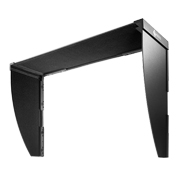
Most shading hoods can only be used in landscape mode, but the ColorEdge CG275W comes bundled with a unique shading hood that is designed for portrait mode as well. Now you can keep the glare off your screen no matter which mode you work in. |
|
New Cabinet and Stand Design
Three Inputs Including DisplayPort
DVI-D, DisplayPort, and Mini DisplayPort are included. DisplayPort and Mini DisplayPort accept both video and audio signals simultaneously. Mini DisplayPort offers the further benefit of connection with Mac and Windows-based notebook computers.

10-Bit Simultaneous Display
|
The monitor can display 10-bit color from a 16-bit look-up table via its DisplayPort input*. This is more than 1 billion colors shown simultaneously which is 64 times greater than the 16.7 million colors of 8-bit display. The result is even smoother color gradations and reduced Delta-E between two adjacent colors.
|
|
Brightness and Color Uniformity with DUE
Fluctuations in brightness and chroma on different parts of the screen are a common trait of LCD monitors. To counteract this, the monitor incorporates an EIZO-developed digital uniformity equalizer (DUE). DUE ensures a Delta-E difference of 3 or less across the screen when the monitor leaves the factory.

Verification Documents Included
|
EIZO stands behind the quality of the ColorEdge series by including two verification documents with each monitor. One document verifies the uniformity on 25 points across the screen while the other certifies that all 256 color tones on the gamma curve were individually adjusted at the factory. |
Correlation with Other Sensors
The ColorEdge CG275W can be correlated to the measurement results of an external calibration sensor. This is convenient if the ColorEdge CG275W is used in a work environment with other ColorEdge monitors and one measurement device must be used as a standard for all calibrating.
Simple and Precise Calibration with ColorNavigator
|
|
Wide Area, High Resolution Screen
The ColorEdge CG275W features a 2560 × 1440 native resolution across its 27-inch screen. This is more than double the pixels of a 19-inch monitor with a 1280 × 1024 resolution and 60% more than a monitor with a 1920 × 1200 resolution. This gives you plenty of room to spread out your windows and palettes.

Wide Color Gamut
|
|
Presence Sensor for Power Savings
LED Buttons and On-Screen Button Guide
For dimly lit work environments, the LED front buttons can be backlight to seven different brightness settings. An on-screen button guide appears above the buttons to indicate what each one is for.

3D LUT for Better Additive Color Mixture
The monitor utilizes a new EIZO-developed 3D LUT. Whereas a typical 1D LUT adjusts color on separate tables for each red, green, and blue, a 3D LUT accomplishes this on a single, mixed-color cubic table. A 3D LUT improves the monitor's additive color mixture (combination of RGB), a key factor in its ability to display neutral gray tones.
Commitment to Quality
While outsourcing production is now common practice in the monitor industry, EIZO continues to manufacture its products the same way it has throughout its 40 year history — with its own staff at its own factories. This allows EIZO to keep close control over production quality and offer the industry's only 5-year manufacturer's limited warranty.
FograCert Softproof Monitor
The ColorEdge CG275W is recognized by Fogra, the German graphic arts research association, as a Class A FograCert Softproof Monitor. The ColorEdge CG275W passed Fogra’s requirements for viewing cone characteristics, uniformity, and warm-up behavior for use in a FograCert Softproofing System.

Customer Assurance
A five-year warranty offers a long service life, and compliance with leading industry standards such as TCO'03 and TÜV Ergonomics ensures a better working environment.
| Cabinet Color | Black |
|---|---|
| Panel | |
| Type | IPS |
| Size | 27" / 68 cm (684 mm diagonal) |
| Native Resolution | 2560 x 1440 (16:9 aspect ratio) |
| Display Size (H x V) | 596.7 x 335.6 mm |
| Pixel Pitch | 0.2331 x 0.2331 mm |
| Grayscale Tones | 1024 tones (a palette of 65281 tones) |
| Display Colors | 1.07 billion from a palette of 278 trillion (maximum) |
| Viewing Angles (H / V, typical) | 178°, 178° |
| Brightness (typical) | 270 cd/m2 |
| Recommended Brightness for Calibration | 120 cd/m2 or less |
| Contrast Ratio (typical) | 850:1 |
| Response Time (typical) | 6 ms (Gray-to-gray) |
| Wide Gamut Coverage (typical) | sRGB/Rec709/EBU/SMPTE-C: 100%, Adobe RGB: 97%, DCI: 91% |
| Video Signals | |
| Input Terminals | DVI-D 24 pin, DisplayPort (with HDCP), Mini DisplayPort (with HDCP) |
| Digital Scanning Frequency (H / V) | 26 - 89 kHz, 23.75 - 63 Hz (VGA Text: 69 - 71 Hz) |
| USB | |
| Function |
1 port for monitor control 2-port USB hub |
| Standard | USB 2.0 |
| Power | |
| Power Requirements | AC 100 - 120 V / 200 - 240 V, 50 / 60 Hz |
| Maximum Power Consumption | 160 W |
| Typical Power Consumption | 64 W |
| Power Save Mode | Less than 1 W |
| Standby Mode | Less than 0.8 W |
| Power Management | Power Save (DisplayPort / Mini DisplayPort: Rev. 1.1a, DVI: DVI DMPM) |
| Self-Calibration | Yes |
| Features & Functions | |
| Brightness Stabilization | Yes |
| Preset Modes | Color Mode (Custom, Adobe RGB, sRGB, Rec709, EBU, SMPTE-C, DCI, Calibration) |
| Digital Uniformity Equalizer | Yes |
| EcoView Sense | Yes |
| OSD Languages | English, German, French, Italian, Japanese, Simplified Chinese, Spanish, Swedish, Traditional Chinese |
| Others | Screen Size (full screen, enlarge, normal), Color Adjustment (Brightness, Contrast, Independent 6-Color Control, Gamma, Temperature, Saturation, Hue, Gain, Contrast Enhancer, Reset), Signal Switching, Product Information, OSD Menu Settings, Overdrive, Mode Preset, Key Lock, Signal Bandwidth, Power Indicator, All Reset |
| Physical Specifications | |
| Dimensions (Landscape, W x H x D) | 646 x 425 - 576.5 x 281.5 mm |
| Dimensions (Portrait, W x H x D) | 402 x 671 - 704 x 281.5 mm |
| Dimensions (Without Stand, W x H x D) | 646 x 402 x 92 mm |
| Net Weight | 13.6 kg / 30 lbs |
| Dimensions (Landscape with Hood, W x H x D) | 653 x 432.5 - 584 x 379.5 mm |
| Net Weight (Without Stand) | 9.7 kg / 21.4 lbs |
| Height Adjustment Range | 151.5 mm (maximum 190 mm) |
| Tilt | 25° Up, 0° Down |
| Swivel | 172° Right, 172° Left |
| Pivot | 90° |
| Hole Spacing (VESA Standard) | 100 x 100 mm |
| Environmental Requirements | |
| Temperature | 0 - 35 °C |
| Humidity (R.H., non condensing) | 20 - 80 % |
| Certifications & Standards (Please contact the EIZO group company or distributor in your country for the latest information.) | CUDO certified mark, TCO'03, TUV/Ergonomics (including ISO 9241-307 [Pixel fault class I]), TUV/GS, c-Tick, CE, CB, cTUVus, FCC-B, Canadian ICES-003-B, TUV/S, VCCI-B, RoHS, WEEE, CCC, GOST-R |
| Supplied Accessories | AC power cord, signal cables (DVI-D - DVI-D [dual link supported], Mini DisplayPort - DisplayPort), USB cable, setup guide, EIZO LCD Utility Disk (ColorNavigator software, PDF user's manual), adjustment certificate, ScreenCleaner, monitor hood, quick reference, warranty card |
| Warranty | Five Years |
- 1 This monitor meets the ISO9241-307 (Pixel fault class I) standard.
- 2 With current LCD technology, a panel may contain a limited number of missing or flickering pixels.
Brochures
|
|
ColorEdge Graphics (CG303W, CG275W, CG245W, CG243W, CG241W, CG223W, CG221) |
|
|
Color Management Handbook Volume 2 |
|
|
ColorEdge Video (CG303W, CG275W, CG245W, CG243W, CG241W, C232W) |
|
|
ColorNavigator 6 How-to-Use-Guide |
Manuals
|
PRAD Inside Display Technologies August 06, 2012 Overall Rating: Very Good (5 stars out of 5) “The neutrality and factory calibration are outstanding. When used with Color Navigator, the Eizo CG275W becomes a role model in the 27-inch high-end sector.” |
|
Display of the Year for 2011 |
|
October 20, 2011 Editor's Choice (5 stars out of 5) "The ColorEdge display looks great right from the off - and that's due in part to Eizo's policy of calibrating every monitor at the factory before it ships." |
|
October 11, 2011 4.5 stars out of 5 "Can't believe your eyes? The CG275W's built-in calibration feature is more than just a flashy gimmick - it's a designer's dream." |
|
June 17, 2011 Recommended (5 stars out of 6) "The image quality is exactly as you'd expect, with the Eizo passing our subjective tests with flying colours. Greyscale and colour ramps were free from banding, with smooth gradations and tint-free greyscales." |


The bundled ColorNavigator software makes calibration both simple and quick. Just input target values for brightness, white point, and gamma.. The built-in sensor directly utilizes the monitor's look-up table and creates an ICC profile within minutes. What's more, you can always download the latest version of ColorNavigator for free here on eizo.com.
The monitor reproduces 97% of the Adobe RGB color space so it can display most colors in a digital photo taken in Adobe RGB mode. Furthermore, it also has an sRGB mode to accurately reproduce colors in this narrower but commonly used color space, such as those seen on web pages or digital photos taken in sRGB mode.