

- GX340









- Features
- Specifications
- Documents Compatibility
- Graphics Boards
- QC Software & Tools Accessories


Environmentally-Friendly LED Backlight
|
|
 By utilizing an energy-efficient LED as a backlight, the monitor achieves a high-brightness and low power consumption at the same time. Unlike conventional CCFL backlights, LED backlights deteriorate more slowly and thus the monitor offers a longer service life. Since the LED backlight is mercury free, it will reduce any potential impact on the environment when it is disposed of.
Consistency with DICOM Part 14 Calibration
With the bundled RadiCS LE quality control software, a simplified calibration compliant with the DICOM Part 14 standard can be performed to correct the brightness and grayscale tones of the monitor ensuring the most accurate and consistent shadings possible over time.
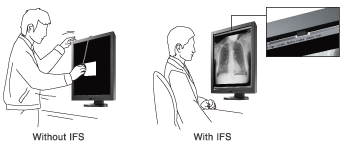
Easy Calibration with Integrated Front Sensor
An Integrated Front Sensor (IFS) housed within the front bezel measures brightness and grayscale tones and calibrates to the DICOM Part 14 standard. Without having to connect and disconnect, an IFS performs QC tasks and does not interfere with the viewing area. This dramatically cuts monitor quality control workload and maintenance costs.
Brightness Uniformity for a Steadier Image Across the Screen
The Digital Uniformity Equalizer (DUE) function provides optimum brightness uniformity which is difficult to attain due to the characteristics of LCD monitors.
Quick Brightness Stabilization for Instant Viewing
At startup or upon wakeup, the EIZO patented drift correction function quickly stabilizes the brightness level. In addition, a sensor measures the backlight brightness and compensates for brightness fluctuations caused by the ambient temperature and the passage of time.
Customer Assurance with Medical Standards
Meets the strictest medical, safety, and EMC emission standards.
Warranty with Safety and Trust
EIZO and its authorized distributors offer a five-year full warranty.
Displaying with Separate Brightness Levels
For monochrome monitors, Hybrid Gamma function automatically distinguishes the medical images from the non-medical areas such as the tool palettes and displays each one at its optimum brightness. Decreasing the tool palette area's brightness leads to less eye fatigue.
Accuracy in distinction may depend on how images are aligned.
Viewer software compatibility verification is required.
Diagnostic Precision with DICOM Part 14 Factory Adjustment
To ensure the most accurate and consistent shadings possible, EIZO carefully measures and sets every grayscale tones on the production line to produce a monitor compliant with DICOM Part 14.
Presence Sensor for Power Savings
The presence sensor feature unites convenience with savings by ensuring that the monitor conserves power when it is not in use. The presence sensor prompts the monitor to switch to power save mode when it detects the user is away from the monitor, and then resume normal operation when the user returns.
10-Bit Simultaneous Grayscale Display
10-bit (1,024 tones) simultaneous grayscale display extends grayscale fidelity to the boundaries of human visual perception abilities and helps radiologists discern the finest nuances within an image.
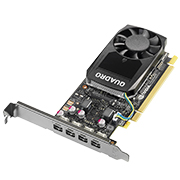
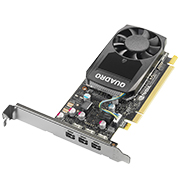
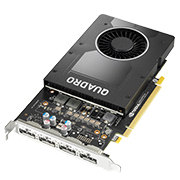
10-bit graphics board and 10-bit viewer software needed for 10-bit display.
Mode Selection for Optimum Viewing
Selectable with the front panel buttons, the CAL Switch function allows for various imaging modes of different modalities such as CR, CT, and endoscope images. Furthermore, auto mode settings can be made with the Auto CAL Switch function.
Wide Viewing Angles for Multiple People Use
Wide Viewing angles with minimal color shift when viewed from the side.
Brightness Stability Within Usage Time Guaranteed
EIZO's confidence in its product quality extends to brightness stability which is also covered during the usage time specified in the warranty.
Versatile Positioning for Improved Operability
EIZO's highly versatile stand offers tilt, swivel and a wide height adjustment range enabling you to use the monitor with greater comfort.
Our Contribution to SDGs
| As part of its sustainability initiatives, EIZO is contributing towards the United Nations' Sustainable Development Goals (SDGs). |
 |
|
Supporting a Healthy Life Starting with our message “Making Each Life Visual”, we aim to support optimal medical care for each and every individual through accurate diagnosis and treatment afforded by our innovative healthcare technologies. |
  |
|
|
Environmentally Conscious Our healthcare products are designed to promote energy efficiency for reduced power consumption and greenhouse gas emissions, while maintaining the high performance and functionality needed in healthcare. We also implement a responsible after-service recycling system. |
  |
| Model Variations |
GX340-CL-BK: Clear Base, with stand, black
GX340-CL-P-BK: Pairing, with stand, black |
|---|---|
| Panel | |
| Type | Monochrome (IPS) |
| Backlight | LED |
| Size | 21.3" (54 cm) |
| Native Resolution | 1536 x 2048 (3:4 aspect ratio) |
| Viewable Image Size (H x V) | 324.8 x 433.1 mm |
| Pixel Pitch (H x V) | 0.2115 x 0.2115 mm |
| Grayscale Tones |
10-bit (DisplayPort): 1,024 from a palette of 16,369 (14-bit) tones
8-bit: 256 from a palette of 16,369 (14-bit) tones |
| Viewing Angles (H / V, typical) | 176° / 176° |
| Brightness (typical) | 1200 cd/m2 |
| Recommended Brightness for Calibration | 500 cd/m2 |
| Contrast Ratio (typical) | 1400:1 |
| Response Time (typical) | 40 ms (black-white-black) |
| Video Signals | |
| Input Terminals | DisplayPort, DVI-D (dual link) |
| Digital Scanning Frequency (H / V) | 31 - 127 kHz / 29 - 61.5 Hz |
| USB | |
| Upstream | USB 2.0: Type-B |
| Downstream | USB 2.0: Type-A x 2 |
| Power | |
| Power Input | AC 100 - 120 V, 200 - 240 V: 50 / 60 Hz |
| Typical Power Consumption | 36 W |
| Maximum Power Consumption | 90 W |
| Power Save Mode | 1.6 W or less |
| Sensor | Backlight Sensor, Integrated Front Sensor, Presence Sensor, Ambient Light Sensor |
| Features & Functions | |
| Brightness Stabilization | Yes |
| Digital Uniformity Equalizer | Yes |
| Preset Modes | CAL Switch (DICOM, CAL1, CAL2, Hybrid-γ) |
| OSD Languages | English, German, French, Italian, Japanese, Simplified Chinese, Spanish, Swedish, Traditional Chinese |
| Physical Specifications | |
| Net Weight | 10.2 kg |
| Net Weight (Without Stand) | 7.5 kg |
| Hole Spacing (VESA Standard) | 100 x 100 mm |
| Certifications & Standards (Please contact EIZO for the latest information.) | CE (Medical Device), EN60601-1, ANSI/AAMI ES60601-1, CAN/CSA-C22.2 No. 60601-1, IEC60601-1, VCCI-B, FCC-B, CAN ICES-3 (B), RCM, RoHS, China RoHS, WEEE, CCC, EAC |
| FDA | 510(k) Clearance for General Radiography |
| Dedicated Software | |
| Monitor Quality Control Software RadiCS | Supported |
| Supplied Accessories (May vary by country. Please contact EIZO for details.) | |
| Signal Cables | Dual Link DVI-D (3 m), DisplayPort (3 m) |
| Others | AC power cord (3 m), USB Type-A - USB Type-B cable (3 m), Utility Disk (RadiCS LE, ScreenManager Pro for Medical, user's manual) |
| Warranty | 5 Years |
| Dimension Drawing | GIF |
Brochures
 |
RadiForce general
|

Manuals
| RadiForce GX240 / GX340 Instructions for Use_UsersManual | English | 1.52 MB |
|
| RadiForce GX240 / GX340 Instructions for Use_UsersManual | German | 1.77 MB |
|
| RadiForce GX240 / GX340 Instructions for Use_UsersManual | French | 1.76 MB |
|
| RadiForce GX240 / GX340 Instructions for Use_UsersManual | Russian | 1.74 MB |
|
| RadiForce GX240 / GX340 Instructions for Use_UsersManual | Chinese-Simplified | 1.98 MB |
|
| GX340 / GX240 / RX340 / RX240 / Instructions for Use_SetupManual | English German French Chinese-Simplified |
3.34 MB |
|
| RadiForce RX240 / RX340 / GX240 / GX340 Setup manual (Russian) | Russian | 1.37 MB |
|
| RadiForce RX240 / RX340 / GX240 / GX340 Setup manual (Italiano) | Italian | 1.35 MB |
|
| RadiForce RX240 / RX340 / GX240 / GX340 Setup manual (Czech) | Czech | 1.36 MB |
|
| RadiForce RX240 / RX340 / GX240 / GX340 Setup manual (Svenska) | Swedish | 1.35 MB |
|
| RadiForce RX240 / RX340 / GX240 / GX340 Setup manual (Chinese-Traditional) | Chinese-Traditional | 1.53 MB |
|
| RadiForce RX240 / RX340 / GX240 / GX340 Setup manual (Arabic) | Arabic | 1.59 MB |
|
| RadiForce RX240 / RX340 / GX240 / GX340 Setup manual (Danish) | Danish | 1.36 MB |
|
| RadiForce RX240 / RX340 / GX240 / GX340 Setup manual (Dutch) | Dutch | 1.35 MB |
|
| RadiForce RX240 / RX340 / GX240 / GX340 Setup manual (Finnish) | Finnish | 1.35 MB |
|
| RadiForce RX240 / RX340 / GX240 / GX340 Setup manual (Greek) | Greek | 1.37 MB |
|
| RadiForce RX240 / RX340 / GX240 / GX340 Setup manual (Korean) | Korean | 1.46 MB |
|
| RadiForce RX240 / RX340 / GX240 / GX340 Setup manual (Norwegian) | Norwegian | 1.36 MB |
|
| RadiForce RX240 / RX340 / GX240 / GX340 Setup manual (Polish) | Polish | 1.36 MB |
|
| RadiForce RX240 / RX340 / GX240 / GX340 Setup manual (Portuguese) | Portuguese | 1.36 MB |
|
| RadiForce RX240 / RX340 / GX240 / GX340 Setup manual (Espanol) | Spanish | 1.36 MB |
|
| RadiForce RX240 / RX340 / GX240 / GX340 Setup manual (Turkish) | Turkish | 1.35 MB |
|
| RadiForce RX240 / RX340 / GX240 / GX340 Setup manual (Hungarian) | Hungarian | 1.03 MB |
|
| RadiForce RX240 / RX340 / GX240 / GX340 Setup manual (Croatian) | Croatian | 1.02e+3 KB |
|
| ScreenSlicer Ver.1.1.5 Software manual (English) | English | 1.88 MB |
|
Compatibility
Technical Information
| November 14, 2012 |
The Advantages of Medical LCD Monitors with LED Backlights [PDF] This document explains the three advantages of medical image display monitors that utilize an LED backlight. |
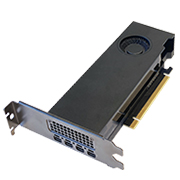
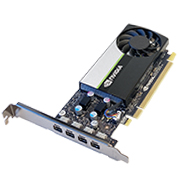

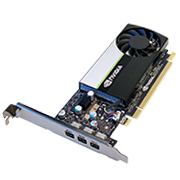
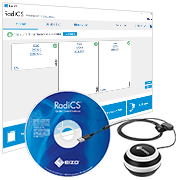
- Quality Control Software
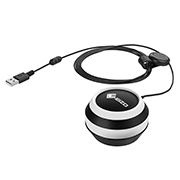
- UX2 Calibration Sensor bundled
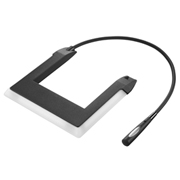


- Protect against dust and scratches
- Fit between screen and bezel
- Integrated Front Sensor usable

- Keep your screen free from dust and fingerprints
- Includes pump spray and cloth


